Introduction
A killer thumbnail is basically the entire reason anyone clicks on a YouTube video. Most of the time, your brain registers the image way before you even bother reading the title. Honestly, it is the make-or-break moment for your views. That is why creators spend hours agonizing over designs that actually grab people. But if you have ever tried to just right-click and save one, you know it is a total pain. That is where a YouTube Thumbnail Downloader comes in.
It works great.
Whether you are a creator trying to see what the competition is doing or a designer just hunting for some fresh visuals, these tools are a lifesaver. Maybe you are a marketer doing deep research on what gets clicks. Or maybe you just like the art. My take: having the ability to grab a high-quality image in two seconds flat is a total game changer for your workflow. And let me tell you, grabbing them manually is a nightmare.
The best part? These sites are almost all web-based now. You do not have to clog up your hard drive with sketchy software or give away your email just to get a file. So, you just copy the URL of the video, pop it into the box, and pick the size you want. Easy.
Because who wants to deal with extra steps?
I am going to walk you through how these tools function and why so many people swear by them. We will also look at the different resolutions available so you can snag that perfect HD file without any weird pixelation. Stay tuned if you want the breakdown on doing this the right way.
Quick Answer
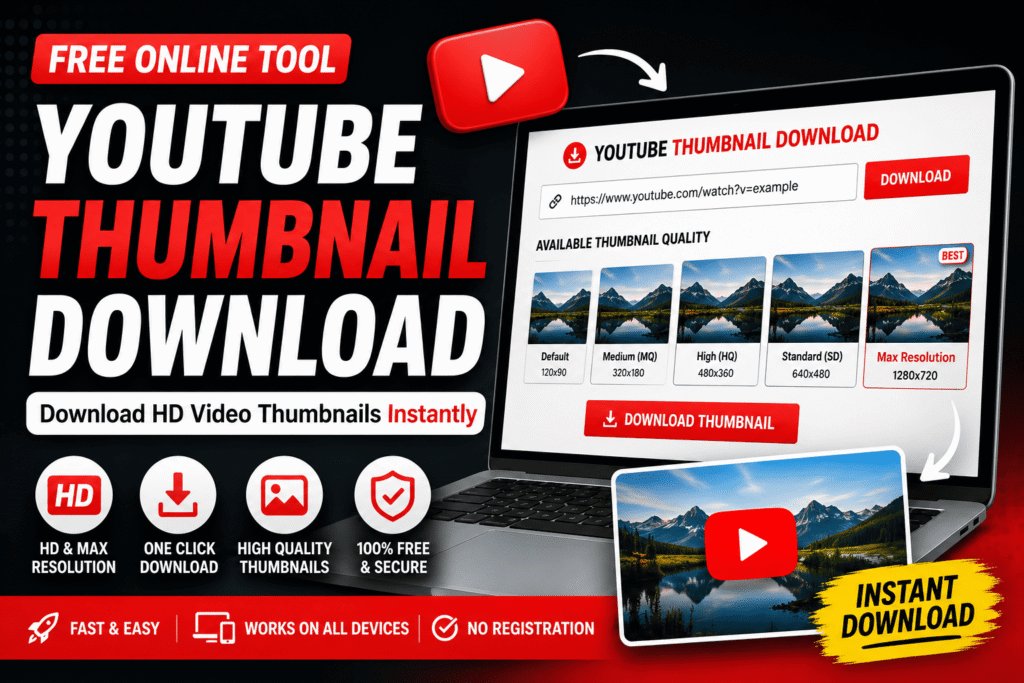
A YouTube Thumbnail Downloader is an online tool that extracts and downloads the thumbnail image from any public YouTube video. Simply paste the video URL, and the tool instantly generates downloadable thumbnail sizes, including Default, Medium Quality (MQ), High Quality (HQ), Standard Definition (SD), and Maximum Resolution (Maxres) when available.
What Is a YouTube Thumbnail Downloader?
A YouTube Thumbnail Downloader is basically a web tool that lets you grab the cover art from any video in high quality.
Honestly, taking a screenshot is a total waste of time. My take: you shouldn’t settle for blurry, cropped messes when you can just pull the original file straight from the source. Because these tools talk directly to the servers, you get a crisp image without that annoying grainy look you usually get from manual clips. Pretty cool, right?
Actually, most of these sites follow a dead-simple routine.
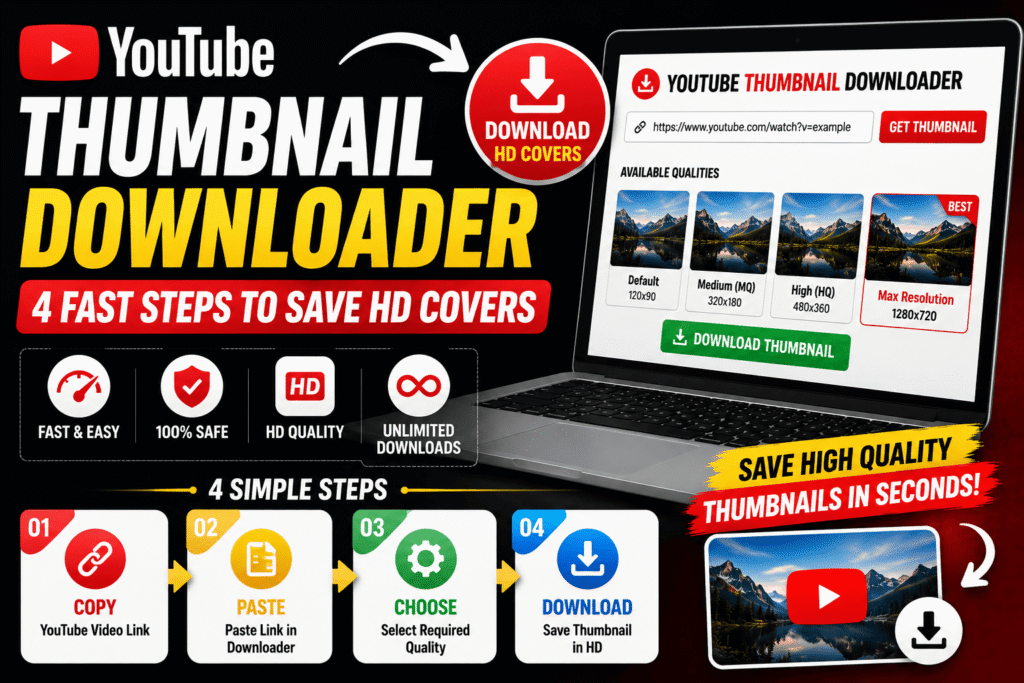
First, you copy the video link. Then you just paste it into the search box. The tool finds the image for you. You pick the size you want. And you’re done.
The whole thing is extremely snappy. It takes maybe ten seconds if you’re moving slow. But honestly, it’s usually faster.
You might think you need fancy editing software to get these assets, but you actually don’t need anything more than a browser (and maybe a few seconds of patience). It’s a lifesaver for creators or anyone who just wants to save a cool design they saw while scrolling. Neat little trick.
Why Are YouTube Thumbnails So Important?
Let’s be real: your thumbnail is the only thing standing between someone watching your video or just scrolling past to find something less boring. Before they even glance at your title, people have basically already judged your entire channel based on that one tiny image.
Honestly, I think we underestimate how much a good thumbnail actually does for you. It’s not just about looking “pro” or whatever. It’s about grabbing that click-through rate by the neck and forcing it to go up. My take? If your art is trash, your views will be too.
You can use them to:
- Get more clicks. (Duh.)
- Bring in fresh viewers who’ve never heard of you.
- Keep people actually interested in what you’re doing.
- Make your brand look like it knows what it’s doing.
- Beat the other guys who are making the same content.
For anyone trying to make it as a creator, thumbnails are the biggest tool in your kit. But you’ve got to be smart about it. Because if you just slap some random text on a blurry screenshot, you’re pretty much invisible in the feed. It’s a brutal game. So, make sure yours pop..
Why Do People Download YouTube Thumbnails?
People use a YouTube Thumbnail Downloader for many different reasons, not just to save images.
Some common use cases include:
Content Creators
Creators often study successful thumbnails to understand:
- Color combinations
- Font styles
- Image composition
- Facial expressions
- Thumbnail layouts
This helps them design more engaging thumbnails for their own videos.
Graphic Designers
Designers download thumbnails to gather inspiration for future projects or analyze modern design trends.
Digital Marketers
Marketing professionals examine popular YouTube thumbnails to understand what attracts clicks and improves campaign performance.
Students & Researchers
Educational creators and researchers may save thumbnails while studying digital marketing, branding, or visual communication.
Benefits of Using a YouTube Thumbnail Downloader
Using a YouTube Thumbnail Downloader offers several advantages over taking screenshots.
Download Original Quality Images
Instead of capturing a blurry screenshot, you receive the original thumbnail image directly from YouTube.
Multiple Resolution Options
Many downloaders provide different image sizes, including:
- Default Thumbnail
- Medium Quality (MQ)
- High Quality (HQ)
- Standard Definition (SD)
- Maximum Resolution (Maxres)
This allows you to choose the size that best fits your needs.
No Software Installation
Modern Online YouTube Thumbnail Downloader tools work entirely in your browser. There’s no need to install applications or browser extensions.
Fast and Free
Most thumbnail downloaders are completely free and generate download links within seconds.
Works on Every Device
A browser-based downloader works smoothly on:
- Windows
- macOS
- Android
- iPhone
- Tablets
You only need a browser and a YouTube video URL.
How Does a YouTube Thumbnail Downloader Work?
So, here is how the whole thing actually works. When you take a link and throw it into a YouTube Thumbnail Downloader, the tool basically scrapes the video’s unique ID to grab whatever images are sitting on the server. Honestly, it is way simpler than people make it sound.
The system pulls everything in a flash. You will see every single size it can find, which is great because you can look them over before you hit save. My take: it is way better than trying to take a jagged screenshot yourself.
Everything happens on its own. Because of that, you do not need to be some tech wizard or go hunting for extra apps to get the job done. It is just quick. No stress required. Since you are just looking for a file, the tool handles the heavy lifting while you just click a button. Pretty much seamless.
Who Can Benefit from a YouTube Thumbnail Downloader?
A YouTube Thumbnail Downloader is useful for a wide range of users, including:
- YouTube creators
- Graphic designers
- Social media managers
- SEO professionals
- Digital marketers
- Bloggers
- Students
- Agencies
- Brand managers
- Video editors
Anyone who works with YouTube content can benefit from quickly accessing high-quality thumbnail images.
Thumbnail Sizes You Can Download
Most YouTube Thumbnail Downloader tools support several thumbnail resolutions.
| Thumbnail Type | Best For |
|---|---|
| Default | Quick previews |
| Medium Quality (MQ) | Basic projects |
| High Quality (HQ) | Blogs and websites |
| Standard Definition (SD) | Social media content |
| Maximum Resolution (Maxres) | Professional design and presentations |
Choosing the right size depends on how you plan to use the thumbnail.
How to Download a YouTube Thumbnail
Downloading a YouTube thumbnail is quick and doesn’t require any technical skills. With a reliable YouTube Thumbnail Downloader, you can save thumbnail images in just a few seconds without installing software or creating an account. The process works the same on desktops, laptops, tablets, and smartphones.
Step 1: Copy the YouTube Video URL
Open YouTube and find the video whose thumbnail you want to download. Click the Share button and copy the video URL.
Step 2: Open a YouTube Thumbnail Downloader
Visit a trusted YouTube Thumbnail Downloader using your preferred browser. Most online tools work instantly without requiring registration.
Step 3: Paste the Video Link
Paste the copied YouTube URL into the search box. The tool automatically detects the video’s thumbnail and prepares all available image sizes.
Step 4: Choose Your Preferred Thumbnail Size
Select the thumbnail resolution that best matches your requirements.
Step 5: Download the Thumbnail
Click the download button, and the thumbnail image will be saved directly to your device. The entire process usually takes less than 10 seconds.
Available YouTube Thumbnail Sizes
One of the biggest advantages of using a YouTube Thumbnail Downloader is having access to multiple thumbnail resolutions. Each size serves a different purpose depending on where you plan to use the image.
| Thumbnail Size | Resolution | Best For |
|---|---|---|
| Default | 120 × 90 | Quick previews |
| Medium Quality (MQ) | 320 × 180 | Basic sharing |
| High Quality (HQ) | 480 × 360 | Blog posts |
| Standard Definition (SD) | 640 × 480 | Websites & presentations |
| Maximum Resolution (Maxres) | 1280 × 720* | Professional projects |
*Maximum Resolution is available only if the original video includes a Maxres thumbnail.
Which Thumbnail Size Should You Choose?
Not every thumbnail size is suitable for every purpose.
Default Thumbnail
The default thumbnail loads quickly and is useful for previews, but its small size isn’t ideal for design work.
Medium Quality (MQ)
MQ thumbnails offer better clarity while maintaining a small file size.
They’re useful for:
- Internal documents
- Notes
- Quick references
High Quality (HQ)
HQ thumbnails provide sharper images and are commonly used for:
- Blog articles
- Educational content
- Research
- Social media references
Standard Definition (SD)
SD thumbnails deliver higher image quality and are suitable for:
- Presentations
- Website content
- Marketing materials
- Graphic design inspiration
Maximum Resolution (Maxres)
Maxres is the highest-quality thumbnail available.
It is the preferred choice for:
- Professional designers
- Content creators
- Agencies
- Brand research
- Large-screen presentations
Whenever available, Maxres provides the clearest and most detailed thumbnail image.
Download YouTube Thumbnails on Android
Android users can easily access a YouTube Thumbnail Downloader through any modern browser.
Simply:
- Copy the YouTube video link.
- Open the downloader.
- Paste the URL.
- Select the thumbnail size.
- Download the image.
No additional applications are required.
Download YouTube Thumbnails on iPhone
A browser-based YouTube Thumbnail Downloader works just as well on iPhones. Using Safari or another mobile browser, you can save thumbnail images within seconds. This makes it convenient for creators who manage YouTube channels directly from their phones.
Download YouTube Thumbnails on Windows
Windows users can download thumbnails using browsers such as:
- Google Chrome
- Microsoft Edge
- Firefox
- Opera
Simply paste the video URL into the downloader and choose your preferred image resolution.
Download YouTube Thumbnails on Mac
Mac users enjoy the same simple process. Whether you’re using Safari, Chrome, or Firefox, a YouTube Thumbnail Downloader works entirely online without additional software.
Why Use an Online YouTube Thumbnail Downloader?
Online tools have become the preferred option because they’re fast, convenient, and accessible from any device. Some major advantages include:
- No installation required.
- Free to use.
- Instant thumbnail detection.
- Multiple image resolutions.
- Mobile-friendly interface.
- Fast downloads.
- Secure browser-based access.
- Works across all operating systems.
These features make online downloaders an excellent choice for both beginners and professionals.
Common Problems When Downloading Thumbnails
Occasionally, users may encounter minor issues while downloading thumbnail images.
Thumbnail Doesn’t Load
Possible reasons include:
- Incorrect video URL.
- Private or deleted video.
- Temporary server issue.
Always verify that you’ve copied the correct YouTube link.
Maximum Resolution Isn’t Available
Not every YouTube video has a Maxres thumbnail. If it isn’t available, choose the highest quality option displayed by the downloader.
Broken Image
If the image doesn’t appear correctly:
- Refresh the page.
- Paste the URL again.
- Check whether the video is still public.
Most problems can be solved within a few seconds.
Tips for Getting the Best Thumbnail Quality
To achieve the best results with a YouTube Thumbnail Downloader, follow these recommendations:
- Use the original YouTube video URL.
- Download the Maxres version whenever available.
- Save thumbnails in their original resolution.
- Avoid taking screenshots, as they reduce image quality.
- Verify the thumbnail before downloading.
- Use a trusted browser-based downloader.
- Keep a copy of high-quality thumbnails for future reference.
These simple practices ensure you always get the sharpest and highest-quality thumbnail images.
Comparison: Screenshot vs YouTube Thumbnail Downloader
| Feature | Screenshot | YouTube Thumbnail Downloader |
|---|---|---|
| Original Image Quality | ❌ No | ✅ Yes |
| HD Resolution | ❌ Limited | ✅ Available |
| Max Resolution Support | ❌ No | ✅ Yes |
| Image Clarity | Medium | Excellent |
| Download Speed | Slow | Fast |
| Easy to Use | Moderate | Very Easy |
For anyone who needs a clear and professional-quality image, using a YouTube Thumbnail Downloader is a much better option than capturing a screenshot.
Is a YouTube Thumbnail Downloader Safe?
One of the most common questions users ask is whether using a YouTube Thumbnail Downloader is safe. The answer is yes, as long as you use a trusted and secure online tool.
Since a thumbnail is simply an image displayed publicly on YouTube, downloading it is generally straightforward. Reliable thumbnail downloaders don’t require software installation, account registration, or access to your personal information. You only need to paste the video URL, and the tool retrieves the available thumbnail images.
However, not every website provides the same level of security. Choosing a reputable Online YouTube Thumbnail Downloader can help you avoid unnecessary ads, redirects, and suspicious downloads.
How to Choose a Safe YouTube Thumbnail Downloader
Before using any online tool, consider these important factors.
Secure Website (HTTPS)
Always check whether the website uses HTTPS. A secure connection helps protect your browsing session and reduces security risks.
No Registration Required
A genuine YouTube Thumbnail Downloader should never ask you to create an account just to download an image.
No Software Installation
Downloading a thumbnail doesn’t require any application or browser extension. If a website insists on installing software, it’s better to avoid it.
Clean User Interface
A reliable downloader usually has:
- Simple layout
- Clear download buttons
- Minimal advertisements
- No confusing redirects
A clean interface makes downloading faster and safer.
Common Mistakes to Avoid
Many users accidentally create problems by overlooking simple details. Avoiding these mistakes will improve your experience.
Copying the Wrong URL
Sometimes users copy a playlist or channel link instead of the actual video URL. Always double-check that you’re using the correct YouTube video link.
Using Fake Download Buttons
Some websites display multiple buttons that look identical. Only click the button associated with the thumbnail preview you’ve selected.
Expecting Every Video to Have Max Resolution
Not all YouTube videos include a Maximum Resolution (1280 × 720) thumbnail. If Maxres isn’t available, simply choose the highest-quality version provided.
Relying on Screenshots
Screenshots often reduce image quality and may include unwanted interface elements. Downloading the original thumbnail always provides better results.
Browser-Based Downloader vs Software
Most users wonder whether they should use an online downloader or install dedicated software.
Here’s a comparison.
| Feature | Online Thumbnail Downloader | Desktop Software |
|---|---|---|
| Installation Required | No | Yes |
| Works in Browser | Yes | No |
| Free to Use | Usually | Depends on Software |
| Device Compatibility | Windows, Mac, Android, iPhone | Installed Device Only |
| Updates | Automatic | Manual |
| Ease of Use | Very Easy | Moderate |
For most users, an Online YouTube Thumbnail Downloader is the better choice because it’s faster, easier, and doesn’t require installation.
Best Practices for Downloading YouTube Thumbnails
Following a few simple habits will help you download thumbnails more efficiently.
- Always use the original YouTube video URL.
- Download the highest available resolution.
- Save thumbnails with meaningful file names.
- Organize downloaded images into folders for easy access.
- Use trusted browser-based downloaders.
- Verify the thumbnail before downloading.
- Keep your browser updated for better security.
These small steps can save time, especially if you regularly work with YouTube content.
Responsible Use of Downloaded Thumbnails
DownGrabbing a thumbnail is a breeze, but you’ve got to be smart about how you actually use it. If you are just tucking them away for research, schooling, or some personal spark of ideas, you’re basically in the clear. No big deal. But things get hairy the second you try to pass off someone else’s hard work as your own brand. Honestly, just swiping a copyrighted design without asking is a total jerk move and can land you in some hot legal water. My take: if you’re thinking about reposting it or making a buck off that image, just reach out to the artist first. It’s the decent thing to do. And it matters.
Because when you respect the people making the stuff you love, the whole internet stays a way better place for everyone. You wouldn’t want someone poaching your stuff, right? So, don’t do it to them. It is pretty much that simple. Usually, a quick message is all it takes to keep things above board and avoid a massive headache later on. Just be cool about it.
Who Uses YouTube Thumbnail Downloaders?
A YouTube Thumbnail Downloader isn’t just for YouTubers. Many professionals use these tools in their daily workflow.
Common users include:
- YouTube creators
- Graphic designers
- Digital marketers
- SEO specialists
- Bloggers
- Social media managers
- Students
- Researchers
- Branding agencies
- Video editors
Whether you’re studying design trends or planning your next video campaign, downloading high-quality thumbnails can save time and improve productivity.
Pro Tips for Better Results
If you frequently download YouTube thumbnails, these practical tips can help.
Download the Highest Resolution Available
Whenever a Maxres thumbnail is available, choose it for the best image quality.
Keep a Thumbnail Inspiration Library
Save impressive thumbnails in organized folders based on topics such as:
- Technology
- Education
- Gaming
- Business
- Finance
- Health
- Travel
Over time, you’ll build a valuable collection of design ideas.
Analyze Instead of Copying
Rather than copying someone else’s thumbnail, study elements like:
- Color combinations
- Typography
- Subject placement
- Facial expressions
- Visual hierarchy
This approach helps you create original thumbnails while learning from successful creators.
Check Before Publishing
If you’re creating your own thumbnails, preview them on both desktop and mobile devices to ensure they remain clear and readable at smaller sizes.
Why Millions of Creators Use Thumbnail Downloaders
Successful YouTube creators understand that thumbnails are one of the biggest factors influencing click-through rates.
A reliable YouTube Thumbnail Downloader makes it easy to:
- Study successful thumbnail styles.
- Save design references.
- Analyze competitor strategies.
- Build inspiration collections.
- Download original-quality thumbnail images in seconds.
Instead of relying on blurry screenshots, creators can access high-quality images that are better suited for research, presentations, and creative planning.
Conclusion
A YouTube Thumbnail Downloader is one of the simplest tools for saving high-quality thumbnail images from public YouTube videos. It works quickly, requires no installation, and supports multiple thumbnail resolutions, making it useful for creators, designers, marketers, students, and researchers alike.
By choosing a trusted online downloader, using the correct video URL, and downloading the highest available resolution, you can get clear and professional-quality thumbnails in just a few clicks. Whether you’re collecting design inspiration, analyzing competitors, or saving thumbnails for future reference, a reliable YouTube Thumbnail Downloader offers a fast and convenient solution.
Frequently Asked Questions
-
What Is a YouTube Thumbnail Downloader?
A YouTube Thumbnail Downloader is an online tool that allows you to download thumbnail images from public YouTube videos. Simply paste the video URL, and the tool generates available thumbnail sizes that you can save to your device.
-
Can I Download YouTube Thumbnails in HD?
Yes. Most YouTube Thumbnail Downloader tools support multiple image resolutions, including High Quality (HQ), Standard Definition (SD), and Maximum Resolution (Maxres) when available. The highest resolution depends on the thumbnail uploaded with the original video.
-
Is It Free to Use a YouTube Thumbnail Downloader?
Most online thumbnail downloaders are completely free. You can download YouTube thumbnails without paying, creating an account, or installing additional software.
-
Do I Need to Install Any Software?
No. A browser-based YouTube Thumbnail Downloader works entirely online. Open the website, paste the YouTube video link, choose your preferred thumbnail size, and download the image instantly.
-
Can I Download Thumbnails on Android and iPhone?
Yes. Online thumbnail downloaders are compatible with Android smartphones, iPhones, tablets, Windows PCs, and Mac computers. As long as your device has a web browser and internet connection, you can download YouTube thumbnails with ease.
-
Why Isn’t the Max Resolution Thumbnail Available?
Not every YouTube video includes a Maximum Resolution (1280 × 720) thumbnail. If the video creator hasn’t uploaded a Maxres image, the downloader will display the highest available resolution instead.
-
What’s the Difference Between Downloading a Thumbnail and Taking a Screenshot?
Downloading a thumbnail provides the original image directly from YouTube, preserving its quality and resolution. Screenshots often appear blurry, may include unwanted interface elements, and usually have lower image quality.
-
Can I Use Downloaded Thumbnails for My Own Videos?
Downloaded thumbnails are useful for inspiration, research, presentations, and educational purposes. If you plan to reuse someone else’s thumbnail for commercial projects or republish it, make sure you have the appropriate permission and respect copyright laws.