YouTube Shorts has become one of the most watched video formats in India. Since YouTube brought Shorts to India in 2020, shortly after short-video apps were banned in the country, it has grown into a daily habit for hundreds of millions of viewers. Globally, YouTube confirmed that Shorts now crosses 200 billion daily views, and more than 2 billion logged-in users watch Shorts every month. With that scale, it is no surprise that “youtube downloader” is one of the most searched terms among Indian users who want to save Shorts for offline viewing, editing, or reposting.
This guide covers everything you need to know about using a YouTube downloader for Shorts: how the process works, which formats and qualities to choose, what is safe and what is not, and how to avoid the ads, malware, and fake buttons that plague many downloader websites. It also breaks down the different types of tools available today so you can pick the one that actually fits your needs.
What Is a YouTube Shorts Downloader?
A YouTube Shorts downloader is a tool, usually a website, browser extension, or app, that lets you save a YouTube Shorts video directly to your device instead of only streaming it inside the YouTube app. Since YouTube does not give every user a native download button for every Short outside of YouTube Premium’s offline mode, third-party downloader tools fill that gap by fetching the video file and converting it into a format you can store, such as MP4 for video or MP3 for audio only.
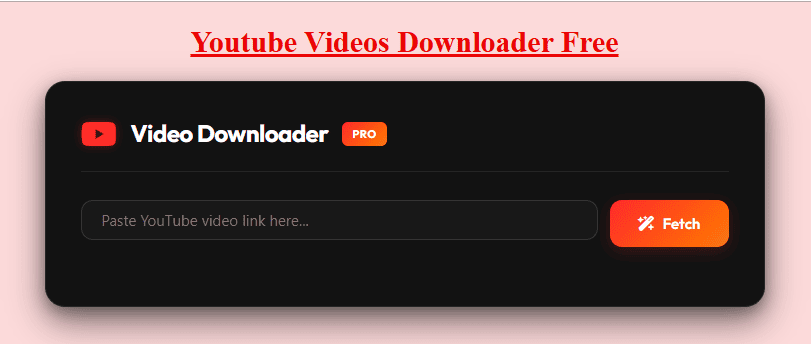
Most tools follow the same basic pattern: you copy the Shorts link from YouTube, paste it into the downloader, choose a quality or format, and the tool generates a direct download link. The differences between tools usually come down to speed, available resolutions, whether ads or pop-ups get in the way, and whether the service works without installing anything.
If you are looking for a straightforward walkthrough of this exact process, our step-by-step guide to downloading YouTube Shorts covers it with screenshots for both mobile and desktop.
Why So Many People in India Search for a YouTube Downloader
A few practical reasons drive this search volume in India specifically:
Mobile-first viewing habits. Most Indian YouTube users watch on smartphones, often with limited mobile data. Downloading a Short once and rewatching it offline saves data compared to streaming it repeatedly.
Content repurposing. With Shorts driving a large share of new channel growth, many creators in India study trending Shorts, save them for reference, or use their own uploaded clips across other platforms like Instagram and WhatsApp Status.
Patchy connectivity. Outside major metro areas, network speed can be inconsistent. Having a saved copy of a video avoids buffering issues during commutes or travel.
Archiving and offline libraries. Educators, small businesses, and hobbyists often want to keep a personal library of videos they are legally allowed to reuse, such as their own content or Creative Commons clips.
None of these reasons override YouTube’s own rules, which brings us to the most important part of this guide.
Is It Safe and Legal to Download YouTube Shorts?
This is the question competitors often gloss over, so it deserves a clear answer.
What YouTube’s Terms of Service say: YouTube’s Terms of Service state that you may not download content from the platform unless a download button or similar link is displayed by YouTube for that content, or you have explicit permission from the rights holder. In practice, this means using a third-party downloader to save a Short that belongs to someone else technically goes against YouTube’s terms, even for personal, non-commercial use.
Where it is generally acceptable:
- Downloading your own uploaded Shorts to edit, repost, or archive.
- Saving videos explicitly marked under a Creative Commons license that permits reuse.
- Using YouTube Premium’s built-in offline download feature, which keeps the video inside the YouTube app rather than creating a standalone file.
- Saving content where the creator has given you direct, explicit permission.
Where it gets risky: Downloading copyrighted Shorts that belong to other creators without permission, then reusing, re-uploading, or redistributing them, can expose you to copyright claims under the Information Technology Act and Copyright Act provisions applicable in India, in addition to violating YouTube’s own policies. Simply saving a video for private, personal viewing carries lower practical risk than reposting it, but it still falls outside what YouTube’s terms technically allow.
Our detailed breakdown on whether YouTube downloader tools are safe to use goes further into the security side of things, including how to avoid tools that bundle malware or fake update prompts.
How to Download a YouTube Short: Step-by-Step
The exact steps vary slightly by tool, but the general workflow looks like this:
- Open the YouTube Shorts video you want to save, either in the YouTube app or on youtube.com.
- Copy the link. Tap the Share icon below the Short and select Copy Link. On desktop, copy the URL directly from the address bar.
- Paste the link into a downloader tool. Open the downloader website or app and paste the copied URL into the input field.
- Select your format and quality. Choose MP4 for video (with resolution options like 360p, 720p, or 1080p where available) or MP3 if you only need the audio.
- Start the download. Click the download or convert button. Processing usually takes a few seconds for a short-form clip since Shorts are capped at 3 minutes.
- Save the file to your device. Once the tool generates the file, save it to your gallery, downloads folder, or cloud storage.
For a more detailed HD-focused walkthrough, see our YouTube Shorts downloader HD guide, which explains how to consistently get the highest resolution a Short was originally uploaded in.
Formats and Quality Options Explained
Understanding formats helps you pick the right output for what you actually need.
MP4 is the standard video format supported by nearly every phone, laptop, and media player. It preserves both video and audio and is the right choice if you plan to watch the Short again, edit it, or repost it (where permitted).
MP3 strips out the video entirely and keeps only the audio track. This is useful if a Short contains a song, voiceover, or podcast clip you want to listen to separately.
Resolution options for Shorts typically range from 360p up to 1080p, occasionally higher if the original upload supports it. Since Shorts are vertical videos, the resolution is usually expressed in terms like 1080×1920 rather than the traditional horizontal 1920×1080. A downloader cannot upscale a video beyond what was originally uploaded, so if a Short was uploaded in 720p, no tool can generate a genuine 1080p version from it, regardless of what the interface claims.
If you specifically need higher-resolution full-length videos rather than Shorts, our YouTube video downloader guide walks through quality selection for standard uploads.
Types of YouTube Downloader Tools Compared
Not all downloaders work the same way. Based on how the major tools in this space operate, they generally fall into four categories.
Online web-based tools
These are websites where you paste a link and get a download button, with no installation required. Tools in this category process the request on their own servers and hand you a file. They work on any device with a browser, which makes them popular for quick, one-off downloads on mobile. The trade-off is that many of these sites carry heavy advertising, and quality or reliability can vary between visits since server load and YouTube’s own restrictions change frequently.
Browser extensions
Extensions add a download button directly onto the YouTube page itself, so you never have to leave the site or paste a link manually. This is convenient, but extensions typically request broad permissions to read and modify data on websites you visit, which is worth reviewing carefully before installing one from an unfamiliar source.
Desktop applications
Desktop downloader software tends to offer the most complete feature set: batch downloads, playlist and channel support, subtitle extraction, and higher resolution ceilings including 4K where the source supports it. These tools require installation and are best suited to users who download frequently or need advanced features like format conversion.
Mobile apps
On Android, downloader apps are common but are largely absent from the Google Play Store due to policy restrictions, meaning they are usually distributed as APK files from outside sources. This raises the same security considerations as browser extensions, and users should only install APKs from a source they trust after verifying its legitimacy. iOS enforces stricter app store rules, so most iPhone users rely on browser-based tools instead.
For quick Shorts-only downloads without installing anything, our online YouTube Shorts downloader is built specifically for the browser-based workflow described above.
Features to Look for in a Reliable Downloader
Across the tools reviewed for this guide, the ones that hold up best share a few common traits:
- No forced registration. A trustworthy downloader lets you paste a link and download immediately, without creating an account.
- Clear quality options shown upfront. You should see the actual available resolutions before downloading, not a vague “HD” label that does not specify the real output.
- Minimal, non-intrusive advertising. Some ads are common on free tools, but pop-ups that redirect you to unrelated pages or fake “your device is infected” warnings are a red flag.
- No unnecessary software prompts. A legitimate web-based downloader never needs you to install a codec, extension, or “accelerator” to complete a simple download.
- Transparent privacy practices. Tools should not require access to your YouTube account or personal data just to convert a public video link.
- Consistent uptime. Because YouTube periodically updates its backend, downloader tools that are not actively maintained often break within weeks. A tool that keeps working across updates is generally better maintained.
Common Mistakes and Risks to Avoid
Several patterns show up repeatedly in downloader websites that are worth watching out for:
Multiple “Download” buttons on one page. Many ad-supported downloader sites place several fake download buttons around the real one, each leading to an unrelated ad or app install. Always check that the button you click matches the file format and quality you actually selected.
Browser notification spam. Some sites request notification permissions immediately on load. Accepting this often results in a stream of ad notifications afterward. Decline these requests unless you specifically want them.
“Download accelerator” software. If a tool insists you install a separate desktop application just to complete what should be a simple browser download, treat that as a warning sign rather than a convenience.
Assuming a download equals ownership. Saving a file does not transfer any rights to it. Editing, re-uploading, monetizing, or redistributing someone else’s Short without permission can still result in a copyright strike, a takedown, or legal exposure, independent of how the file was obtained.
Ignoring mobile storage and battery drain. Repeatedly downloading large batches of Shorts can fill up phone storage quickly. Periodically clearing files you no longer need keeps your device running smoothly.
Saving Shorts Thumbnails
Beyond the video itself, many creators researching competitor content or building thumbnail libraries also want to save just the cover image from a Short. This is a separate, simpler process from downloading the video file, since YouTube thumbnails can be accessed directly from the video’s metadata. Our YouTube thumbnail download guide covers this in detail if that is what you are after instead of the full video.
Frequently Asked Questions
Is downloading YouTube Shorts free? Most web-based downloader tools do not charge for standard MP4 or MP3 downloads. Desktop software sometimes offers a free tier with a paid upgrade for features like batch processing or 4K output.
Do I need to install an app to download a Short? No. Browser-based tools handle the entire process without any installation, which is the fastest option for a one-time download on a phone or laptop.
Can I download YouTube Shorts without watermarks? Reputable downloader tools save the original file as uploaded, without adding a watermark. If a tool adds its own branding to the video, that is a sign of a lower-quality service rather than a standard feature.
Why does a downloaded Short sometimes look lower quality than on YouTube? YouTube serves different quality streams depending on your device and network at the time of viewing. If a downloader pulls a lower-resolution stream by default, check whether the tool offers a manual quality selector before downloading.
Is it legal to download a Short I made myself? Yes. Downloading your own uploaded content for personal backup or repurposing does not raise the same copyright concerns as downloading someone else’s video, though it can still be worth checking the specific terms of any third-party tool you use.
What is the difference between a YouTube downloader and YouTube Premium’s offline feature? YouTube Premium’s offline download keeps the video inside the YouTube app, encrypted and only playable there, and it expires after a set period without an internet connection. A third-party downloader creates a standalone file you can open in any media player, move between devices, or edit, but doing so for content you do not own falls outside YouTube’s terms.
Final Thoughts
A YouTube downloader can be a genuinely useful tool for creators, students, and everyday viewers in India who need offline access, want to study Shorts for research, or need to back up their own content. The key is choosing a tool that is transparent about quality, does not bury the real download button under ads, and respecting the boundaries around content you do not own. Stick to your own videos, properly licensed content, or material you have clear permission to save, and a Shorts downloader becomes a simple, low-risk part of your everyday YouTube workflow.
For more specific walkthroughs, explore our guides on downloading full YouTube videos, HD Shorts downloads, and free YouTube video downloader options.