If you are asking is yt ultra safe, the most accurate answer is that the available evidence is cautiously reassuring, but it does not prove that the service is completely safe or that every use is permitted. YT Ultra (ytultra.com) is a browser-based YouTube downloader and creator-tool website. Its published policies explain what information it collects and how it says it handles accounts, AI processing, and payments. A third-party scan dated October 26, 2026, reported no malware detections among the antivirus engines that returned a result and no match in the browser threat feeds it checked. However, the scan also identified limitations, including an undisclosed site operator and strict refund terms.
That distinction matters. A website can pass a malware scan and still present privacy, billing, reliability, copyright, or platform-compliance concerns. This review separates what can be verified from what remains uncertain, so you can decide whether to visit the service, submit a video URL, create an account, or pay for a subscription.
What Is YT Ultra?
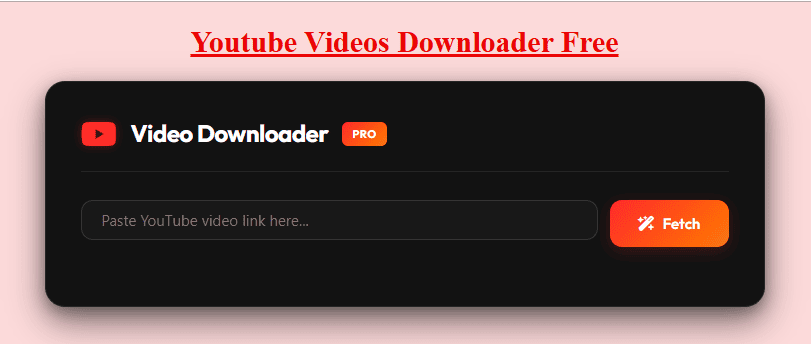
YT Ultra is a website at ytultra.com that presents itself as a toolkit for YouTube creators and marketers. Its public pages list a browser-based video downloader, Shorts downloader, thumbnail and profile tools, metadata utilities, analytics features, and AI-assisted tools such as transcript generation, video summaries, script extraction, and video analysis.
The downloader page says users can paste a YouTube URL or video ID, fetch available options, and choose from formats and resolutions that may include MP4, WebM, HD, or 4K. These are the website’s own feature claims. They should not be treated as independent proof that every listed format or resolution is available for every video. The output can depend on the source video, current service behavior, and technical restrictions.
YT Ultra also distinguishes between free tools and paid AI plans. Its published Terms of Service describe Starter, Pro, and Advanced subscriptions, with monthly AI credit allowances. That means the site is not simply a free downloader with no commercial considerations. Review the plan and refund conditions before entering payment details.
Is YT Ultra Safe? What the Available Checks Show
The question is yt ultra safe needs more than a yes-or-no answer. Safety has several parts: whether a site delivers malware, whether it protects personal information, whether the operator is identifiable, whether payments are handled transparently, and whether the way you use the tool complies with applicable rules.
A third-party website scan published for ytultra.com on October 26, 2026, assigned the domain a 72/100 score and the label “Low Risk.” The report said its checks found no material technical threat. It recorded no detections among the 58 antivirus engines that returned a rating, and no match in the browser threat feeds included in that scan. It also found a valid TLS certificate and a support email on the site’s own domain.
Those findings are useful signals, not a guarantee. Antivirus engines that did not return a rating were not counted as clean results. A clean scan cannot prove that a website will remain safe, that every download it serves is harmless, or that its operator will handle data responsibly. The report also noted that the business operator was not named and that the domain was relatively new at the time of the scan.
Is YT Ultra Safe According to Malware Scans?
The scan provides some reassurance about the specific checks performed on October 26, 2026. It does not establish a permanent safety status. Threat intelligence changes, domains can change ownership, and website code or advertising behavior can change after a review.
The scan also found no independently sourced scam reports in the research it recorded. An absence of reports is not proof of trustworthiness, especially for a newer or less widely discussed service. Treat the scan as one data point rather than a final endorsement. For a dated external assessment, read the report answering is yt ultra safe, then check the exact domain yourself before using it.
Is YT Ultra Safe for Payments and Subscriptions?
This is where additional caution is appropriate. YT Ultra’s Terms say paid plans renew until cancelled, that access continues until the end of the current billing period after cancellation, and that fees are generally non-refundable except where applicable law requires otherwise. The Terms also say unused credits are not prorated.
The third-party scan highlighted the refund policy as a commercial risk. Before subscribing, read the current plan details and refund policy directly. Confirm the billing interval, renewal amount, included credits, cancellation process, and whether a trial converts into a paid plan. Save a copy of the terms shown when you purchase. Do not subscribe just to test a feature if you are not comfortable with the stated refund conditions.
What YT Ultra Says About Privacy
The site’s Privacy Policy, last updated September 22, 2026, describes several categories of information it may collect:
- Account information: Email address and, when Google sign-in is used, the name and profile picture supplied by Google.
- Usage information: YouTube URLs submitted to tools, the tools used, and generated outputs associated with an account.
- Technical information: IP address, browser type, referring URLs, and pages visited, which the policy says may be used for security, abuse prevention, and service improvement.
The policy says YT Ultra does not sell personal information or use it for advertising. It also says account information and usage history are retained while an account is active, with associated personal data deleted within 30 days after account deletion unless retention is required by law.
Those statements describe the site’s published practices. They are not an independent audit of its internal systems. The policy also identifies third-party services: Google Identity Services for authentication, the YouTube Data API for publicly available video information, OpenRouter for AI processing, a third-party payment provider, and YT Ultra’s own backend API for transcript and subtitle retrieval.
What Happens to a YouTube Link You Submit?
According to the Privacy Policy, submitted video URLs and tool usage may be recorded in usage history. For AI features, transcript text may be sent through OpenRouter to language-model providers for processing. If a video or transcript contains confidential, personal, client, or unpublished information, consider whether you are authorised to submit it and whether the service’s data handling is suitable for that material.
Do not assume that a public YouTube URL is private simply because you paste it into a browser tool. Avoid submitting private client links, sensitive work material, personal information, or unlisted content unless you understand the data flow and have permission to share it with the service.
For the service’s own description of its data practices, the policy linked here is relevant when asking is yt ultra safe. For the same reason, never give a downloader your Google password. If you choose Google sign-in, make sure the authentication page is genuinely operated by Google and that the permissions requested make sense. A video downloader should not need your Google password typed into an unrelated form.
YouTube Rules: Is Using YT Ultra Allowed?
Website security and permission to download are separate questions. Even if a downloader is technically safe, that does not automatically mean every download is allowed.
YouTube’s Terms of Service restrict downloading, reproducing, or otherwise using content unless the service specifically permits it, YouTube and the relevant rights holders have given permission, or applicable law allows it. The Terms also restrict circumventing features that prevent or limit copying or other uses of content. Read the current YouTube Terms of Service before relying on a third-party downloader.
Copyright is a separate consideration. In the United States, copyright owners generally control rights that include reproduction and distribution. Whether a particular use qualifies for an exception such as fair use depends on the facts and the applicable legal test. Merely saying that a download is for personal use does not automatically make it lawful.
A safer practical approach is to use YT Ultra only for material you own, have permission to download, or are otherwise legally entitled to copy. Do not assume that a publicly viewable video is free to download, edit, repost, distribute, or use commercially.
Official Ways to Save YouTube Videos
If you only want to watch a video offline, YouTube Premium provides an official download feature in supported locations and browsers. These downloads are intended for offline playback within YouTube, not as ordinary MP4 files that you can freely move to another app.
If you want a local copy of a video you uploaded, YouTube Help explains how to download your own uploads through YouTube Studio. You can also use Google Takeout to export your uploaded videos. YouTube’s instructions state that you cannot use this feature to download other users’ videos.
For Shorts, the same distinction applies: offline playback inside YouTube is not the same as receiving a standalone video file. You can read our practical guide to downloading short YouTube videos and visit the YouTube Shorts downloader page for related information. Use third-party tools only when you have the necessary rights or permission.
How to Use YT Ultra More Carefully
If you decide to try YT Ultra, reduce avoidable risks with a few basic precautions:
- Check the address carefully. Type the domain yourself or use a saved bookmark. Look for misspellings, extra words, or lookalike characters in the address bar.
- Start with a public, non-sensitive URL. Do not begin by submitting a private, unlisted, client-owned, or confidential video.
- Avoid unnecessary sign-in. The downloader page advertises a browser-based workflow without a sign-up requirement. If a feature asks you to create an account, decide whether that feature is worth the additional data sharing.
- Reject unrelated prompts. Do not install an extension, APK, desktop program, codec, or browser profile just because a pop-up says it is required.
- Do not enable notifications. A downloader does not need persistent browser notification permission to process a video link.
- Watch for misleading buttons. If a new tab opens or a pop-up appears, close it rather than clicking unknown download or update buttons.
- Check the saved file. Confirm its name, extension, size, and source before opening it. Keep your operating system and security software updated.
- Review subscription details before paying. Confirm the recurring price, billing period, credit allowance, cancellation method, and refund terms.
- Keep your account secure. Use a unique password for any account you create and enable available account protections.
- Respect content rights. Only download and reuse videos when you have permission or another valid legal basis.
These precautions are useful for any online downloader, not just YT Ultra. A browser-based tool may avoid the risks associated with installing unknown software, but it can still expose submitted URLs and technical data to the website operator.
YT Ultra Pros and Limitations
| Area | What the available evidence indicates |
|---|---|
| Browser access | The downloader page advertises a browser-based workflow without a required installation. |
| Security scan | A scan dated October 26, 2026 reported no detections among the antivirus engines that returned results. |
| Privacy disclosure | A published policy describes account, URL, usage, and technical data collection. |
| Third-party processing | The policy identifies Google services, OpenRouter, a payment provider, and an internal backend API. |
| Operator transparency | The third-party scan did not identify a named business operator. |
| Subscription terms | Paid plans renew until cancelled; the Terms describe fees as generally non-refundable. |
| Download claims | Formats and resolutions are advertised by the site, but availability should be checked for each video. |
| YouTube compliance | Users are told to follow YouTube’s Terms and applicable copyright law. |
The main advantage is convenience: the downloader is presented as a browser tool, and the site publishes policies describing its data practices. The main limitations are that independent security checks are only a snapshot, operator identity was not established by the scan, and subscription terms deserve attention before payment.
What to Do If YT Ultra Does Not Work
A failed download does not necessarily mean your device is infected or that the website is malicious. There are several possible causes:
- The link is incorrect: Copy the video URL again from YouTube and make sure it is not a channel, playlist, or search-results link.
- The video is unavailable: Removed, private, age-restricted, or otherwise restricted content may not be accessible to a public link-based tool.
- The service is temporarily unavailable: Try again later rather than repeatedly clicking buttons or opening pop-ups.
- The browser blocks the file: Check the browser’s download list and available storage. Do not disable security protections globally to force a download.
- The output is not compatible: Check the file extension and try a reputable media player. Do not install an unexpected codec or executable.
- The requested quality is unavailable: A tool cannot create detail that was not present in the source. Choose from the options actually offered, if any.
If the site asks for your Google password, requests an unrelated installation, or repeatedly redirects you to unfamiliar pages, stop using it. Close the tab and review browser permissions if you accidentally allowed notifications or installed an extension.
Is YT Ultra Better Than Other YouTube Downloaders?
There is no reliable basis to declare YT Ultra the safest downloader or to rank it above every competitor. Downloader websites often advertise similar features, such as pasting a URL, selecting a format, and saving a file. Their claims about speed, unlimited downloads, 4K output, or universal compatibility are marketing statements unless independently tested.
When comparing services, look for a clear privacy policy, accessible terms, a meaningful contact method, transparent pricing, a straightforward cancellation process, and no requirement to install unrelated software. Check the exact domain through reputable browser-protection and malware-checking services. Remember that a clean scan is not a guarantee, and that a service’s technical behavior can change.
Also compare the method with your actual need. For offline viewing, YouTube’s own feature is the most straightforward option. For your own uploads, YouTube Studio or Google Takeout is a better starting point. A third-party downloader is relevant only when you need a separate file and have the right to obtain it.
Frequently Asked Questions
Is YT Ultra safe to use in 2026?
The available evidence is cautiously reassuring but not conclusive. A third-party scan dated October 26, 2026 reported no detections among the antivirus engines that returned a result and no browser threat-feed match in its checks. It also identified business-transparency and refund-policy concerns. Recheck the domain before use and avoid submitting sensitive information.
Does YT Ultra contain malware?
The cited scan did not report malware detections in the engines that returned results. That is not proof that every page, file, advertisement, or future version is malware-free. Do not install unexpected software or ignore browser security warnings.
Does YT Ultra collect personal information?
Its Privacy Policy says it may collect account details, submitted YouTube URLs, tool usage, generated outputs, IP addresses, browser information, referring URLs, and pages visited. It also describes processing by third-party providers. Read the current policy before creating an account or submitting sensitive links.
Is YT Ultra free?
The downloader page describes the tool as free, while the site’s Terms also describe paid Starter, Pro, and Advanced subscriptions for AI features. Do not assume that every feature is free. Check the current pricing page and plan conditions before using a paid feature.
Can I use YT Ultra to download any YouTube video?
The website advertises downloads for publicly accessible videos, but technical availability is not the same as permission. YouTube’s Terms and copyright law may restrict downloading or reuse. Only copy content you own, have permission to use, or are otherwise legally entitled to download.
Does YT Ultra require an app or browser extension?
The downloader page advertises a browser-based workflow that does not require software, an extension, or sign-up. If a pop-up or third-party page asks you to install something unrelated, do not proceed without independently verifying why it is needed.
Should I pay for YT Ultra?
Only consider a paid plan after checking the exact price, renewal interval, included AI credits, cancellation process, and refund terms. Its published Terms state that fees are generally non-refundable and unused credits are not prorated, except where applicable law requires otherwise.
Final Verdict: Should You Use YT Ultra?
So, is yt ultra safe? The evidence available for this review does not justify calling it dangerous, but it also does not support an unconditional “yes.” The October 26, 2026 scan found no material technical threat in the checks it completed, while identifying unresolved questions about the operator and highlighting strict refund terms. YT Ultra’s own privacy policy discloses collection of submitted URLs and usage data, as well as processing through third-party providers.
If you choose to use it, stick to non-sensitive links, avoid unnecessary sign-in, never provide your Google password to the downloader, decline unrelated downloads and notification requests, and review subscription terms before paying. Most importantly, use it only for content you have the right to download. For offline viewing, prefer YouTube’s official download feature; for your own uploads, use YouTube Studio or Google Takeout.
The practical answer to is yt ultra safe is therefore: it may be reasonable to test cautiously for a low-risk task, but a scan result is not a guarantee, and privacy, payment, and copyright considerations remain your responsibility.