If you want to download short youtube videos, the right method depends on what you mean by “download.” YouTube Premium can save eligible videos for offline viewing inside the YouTube app. A link-based Shorts downloader, which is a third-party website, creates a separate video file but is not an official YouTube feature. If the Short is your own, YouTube Studio can give you the file. This guide explains each option, shows how to download short youtube clips on iPhone, Android and computers, and covers quality, safety, rules and fixes for failed downloads.
What It Means to Download Short YouTube Videos
YouTube Shorts are short vertical videos. According to YouTube Help, a Short can run up to three minutes, needs a square or vertical aspect ratio, and can be uploaded at a maximum resolution of 1080p. A widescreen clip stays a regular video no matter how short it is.
A YouTube Shorts downloader is a website, app or browser extension that takes a Short’s link and offers the video as a file, most often an MP4. It is a third-party tool. YouTube does not run it or endorse it. When people search for ways to download short youtube content, this is usually the tool they mean.
Two ideas are worth separating before you start:
- Offline viewing is a copy kept inside the YouTube app. It is tied to your account and plays only in the app.
- A standalone file is a video you can move, edit or send outside YouTube.
Official YouTube features focus on the first. A standalone file comes from YouTube Studio (for your own uploads) or from outside tools.
Four Ways to Save a Short at a Glance
| Method | Gives you a file? | Needs Premium? | Best for |
|---|---|---|---|
| YouTube Premium offline download | No, it stays in the app | Yes | Watching offline in the YouTube app |
| YouTube Studio download | Yes, an MP4 | No | Backing up Shorts you uploaded |
| Link-based downloader | Usually an MP4, depending on the tool | No | A personal copy, where permitted |
| Screen recording | Yes, a recording of your screen | No | A last resort for personal use |
If you only want to download short youtube clips to watch offline, Premium is the cleanest route. If the Short is yours, use Studio. If you want a file of someone else’s Short, you are outside YouTube’s official options, so read the terms section below first.
How to Download Short YouTube Videos With a Link-Based Tool
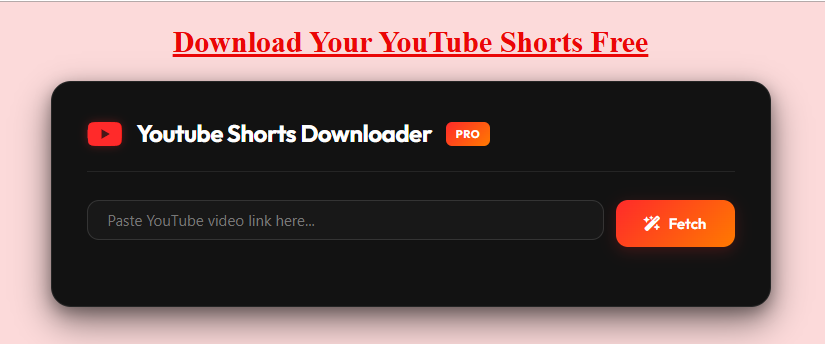
Most online tools follow the same pattern. Layouts and wording differ, so treat these steps as a pattern rather than a script. The goal is to download short youtube videos you are allowed to keep, one link at a time. You can also start from this site’s YouTube Shorts downloader page.
- Open the Short. Use the YouTube app or a browser. Public tools generally cannot reach Shorts that are private, removed or restricted.
- Copy the link. Tap Share, then Copy link. On a computer, copy the address from the address bar. A Short’s link normally contains /shorts/ followed by an ID.
- Paste it into the tool. Open the downloader in your browser and paste the full link into the input box.
- Fetch the options. Press the download or fetch button and wait for the tool to list what it found.
- Pick a quality. A higher resolution gives a sharper picture and a larger file.
- Save and test. Save the file, then play it to confirm that picture and sound both work.
- Close the extras. Dismiss pop-ups without clicking them and close any new tabs the site opened.
For a longer walkthrough, see this site’s guide on how to download YouTube Shorts.
How to Download Short YouTube Clips on iPhone and iPad
Copy the link in the YouTube app, open Safari or another browser, paste the link into the tool and save the file. On iPhone and iPad, browser downloads usually land in the Files app. To keep a copy in Photos, open the file and look for a Save Video option in the share sheet.
Android phones and tablets
To download short youtube clips on Android, copy the link from the Share menu, open the tool in Chrome or another browser and download. The file normally goes to your Downloads folder, and some phones also show it in the gallery. This site has a separate page on saving YouTube videos to your gallery.
Windows, Mac and Chromebook
To download short youtube videos on a computer, copy the address of the Short from the browser, paste it into the tool and save the MP4. Most desktop browsers send downloads to a Downloads folder unless you changed the setting.
Official Ways to Download Short YouTube Content
YouTube Premium offline downloads
The closest thing to an official way to download short youtube videos for offline viewing is YouTube Premium, and YouTube Help documents it for videos in general. Premium members can download on mobile, and on a computer in Chrome, Edge, Firefox and Opera. On a computer you sign in to your Premium account, open the video’s Watch page and click Download under the video.
YouTube’s offline pages do not list Shorts as a separate case. Whether a given Short shows a Download button depends on your account, your app version and the video itself, so check your own app.
Where downloads work, they stay in the app. You find them under Downloads, and they play while you are signed in to the same account. YouTube Help says downloaded videos can be played offline for up to 29 days before the app needs to reconnect, and in some countries the window is 48 hours.
Smart Downloads and Premium Lite
Smart Downloads is a Premium feature that automatically adds recommended videos to your downloads, and YouTube Help says new videos are fetched every seven days. Technology coverage reports that YouTube has also tested a version for Shorts that picks clips from your viewing history, so you cannot choose which ones to keep.
Premium Lite is the cheaper plan. YouTube announced downloads for it in February 2026, and reporting on that announcement says they cover most non-music content but exclude Shorts. If saving Shorts is your goal, confirm the plan details before you subscribe.
Your own Shorts from YouTube Studio
Creators can download their own uploads without a third-party tool. Sign in to YouTube Studio, choose Content, select the video, open Menu and choose Download. YouTube Help says the file is an MP4 in either 720p or 360p, depending on the video.
YouTube lists limits. You cannot download a video that has been removed, has a copyright or Community Guidelines strike, or uses a preapproved audio track. You also cannot download the same video more than five times in 24 hours. For every upload at once, YouTube points to Google Takeout. The instructions are written for uploaded videos and do not single out Shorts, so confirm that the option appears for yours. The same page states that you cannot download other people’s videos this way.
Video Quality and Format: What to Expect
Quality is the first thing most people check when they download short youtube videos. YouTube Help says Shorts can be uploaded at a maximum of 1080p. That is a ceiling, not a promise. A Short uploaded at lower quality stays lower quality, and no downloader can add detail that is missing from the source.
Third-party tools often advertise options from 360p to 1080p and MP4 output. Treat those as the tool’s own claims. In practice, you can only choose from the options a tool shows for that particular Short.
- Archiving or editing: choose the highest option offered.
- Sending in a chat app or email: a lower option gives a smaller file that sends faster.
- Watching on a small phone screen: a middle option is often hard to tell apart from the top one.
With Premium, you set download quality in the app’s download settings. YouTube Help notes that higher quality uses more data, takes longer to appear in Downloads and takes more storage. MP4 plays on iPhone, Android, Windows and Mac, so it is the safest format to look for. If a file will not play, try a different player or download it again. For more on resolution choices, see this site’s YouTube Shorts downloader HD page.
What YouTube’s Terms and Copyright Mean for You
Technical possibility is not the same as permission, and that matters whenever you download short youtube content. Before you download short youtube files with any outside tool, read YouTube’s Terms of Service. The Terms prohibit downloading content except where a feature of the service allows it or YouTube and the relevant rights holders give written permission. They also bar circumventing features that restrict copying, and they limit viewing to personal, non-commercial use.
That is the platform rule. Copyright is a separate question. YouTube Help explains that fair use is decided case by case, that only courts can decide it, and that giving credit to the owner does not by itself turn a non-transformative copy into fair use. Content ID, YouTube’s automated system, cannot decide fair use either.
In plain terms:
- A personal offline copy and a public repost are different things.
- Having a file does not give you rights to the video or its music.
- Reuse in your own videos needs permission or another valid basis.
- This is general information, not legal advice. For commercial projects, ask a qualified professional. If a creator has not given permission, the safest habit is to keep any file you save for private viewing only.
Privacy and Security Checklist
Safety deserves attention before you download short youtube files from any site. Free download sites often earn money from ads, and some ads imitate download buttons. The FTC’s consumer advice on malware recommends getting software from sources you know and trust, avoiding clicks inside pop-ups, and watching for unusual device behavior. Apply the same habits here:
- Stay in the browser. A link-based tool should not ask you to install an app or extension to save one Short.
- Never sign in to Google on a third-party site. A downloader only needs a public link.
- Check the file type. A video should be an MP4 or similar. Installers, archives or unexpected file types are warning signs.
- Read app listings. Some app-store listings for “video downloaders” say in their own descriptions that they do not support YouTube. Check the description and the Data safety section before installing.
- Distrust big promises. Claims such as “100% safe” or “unlimited” are marketing, not proof.
This site has a separate page asking whether a YouTube video downloader is safe.
Troubleshooting a Failed Download
Problems usually come from one of five places: the link, the browser, the network, the downloader service, or a restriction on the video itself. Work through the table from the top, because the first rows are the quickest to test.
| What you see | Likely cause | What to try |
|---|---|---|
| Nothing happens after pasting | Incomplete link, or a link to a channel or playlist | Copy the Short’s link again from Share |
| “Video unavailable” | The Short is private, removed, age-restricted or region-limited | Open the link in a private window; if it will not play, a public tool cannot fetch it |
| Only low quality offered | The source upload is low quality, or the tool offers few options | Accept the best option shown |
| File will not play | Player or format problem | Try another player, or download again |
| Works on one device only | Browser or network difference | Switch browsers, or switch between Wi-Fi and mobile data |
| Link expired | Some tools create temporary download links | Fetch the options again for a fresh link |
| No Download button in YouTube | Plan, app version, region or the video itself | Update the app and check your plan on YouTube Help |
| Constant redirects and pop-ups | An ad-heavy site | Close the tab and choose another source |
How to Choose a Tool
If you plan to download short youtube clips regularly, use these criteria rather than a ranking:
- It works from a pasted link, with no install and no login.
- It shows the real options for each Short instead of promising a fixed quality.
- It has working privacy and terms pages and a contact route.
- It reminds you to respect copyright and does not encourage reposting.
- It avoids absolute claims about safety, speed or limits.
Every advertised feature is a claim until you test it yourself. If you need a regular, longer video, see this site’s guide to downloading YouTube videos.
Conclusion
The best way to download short youtube videos depends on your goal. Use Premium for offline viewing in the app, Studio for your own uploads, and a link-based tool only for personal copies you are allowed to keep. Whichever path you take, check the quality you actually receive, keep your device safe and ask permission before reposting. For a hands-on start, open this site’s YouTube Shorts downloader page and follow the steps above.
Frequently Asked Questions
-
What is the easiest way to download short youtube videos?
For a file, paste the Short’s link into a link-based downloader and save the MP4. For offline viewing only, use YouTube Premium in the YouTube app. For your own Short, use YouTube Studio. Only the last two are YouTube’s own features.
-
Can I download a Short without a third-party tool?
Only in limited cases. Premium offers offline downloads where a video allows them, and Studio lets creators download their own uploads. Neither route gives you a file of another creator’s Short.
-
Can I download short youtube clips on iPhone and Android?
Yes, with a browser-based tool or Premium. Copy the link from the Share menu, paste it into the tool and save the file. It usually lands in Files or Downloads, depending on your phone and browser.
-
Can I download Shorts on a computer?
Yes. Copy the Short’s address from your browser, paste it into a tool and save the MP4. Premium members can also download in the supported browsers, and creators can use YouTube Studio.
-
What quality can I get?
No more than the source. YouTube allows Shorts to be uploaded at up to 1080p, and a tool can only offer what exists for that Short. Studio downloads are 720p or 360p.
-
Is it safe to download short youtube videos with online tools?
It depends on the site and your habits. No tool can be called safe without evidence. Avoid installs, pop-ups and Google sign-ins, and check any file you save.
-
Is it allowed to download short youtube videos?
YouTube’s Terms restrict downloading to what the service allows or what YouTube and rights holders permit in writing. Copyright and fair use are separate questions that depend on the facts. When in doubt, ask the creator.