You find a Short you want to keep. It could be a cooking trick, a workout routine, or a clip from your own channel. You look for a save button and find nothing that gives you an actual video file. That gap is why so many people in India search for a YouTube short download method that works on a phone, costs nothing, and does not put their device or account at risk.
This guide covers every realistic option: what YouTube allows, what Indian copyright law says, how online tools work, which quality to choose, and how to spot an unsafe site. Last updated: October 18, 2026.
Quick answer: A YouTube short download can be done in three ways. You can download your own Shorts from YouTube Studio, save eligible Shorts for offline viewing inside the YouTube app with a Premium plan, or use a third-party tool for videos you have permission to save. Saving other creators’ Shorts without permission can break YouTube’s terms and Indian copyright law.
What Does a YouTube Short Download Actually Mean?
People use the phrase for three different things, and mixing them up causes most of the confusion.
The first kind of YouTube short download is saving a file. You end up with an MP4 on your phone, laptop, or in your gallery. The second is offline viewing, where YouTube stores the video inside its own app and you can only play it there. The third is bookmarking, where you add a Short to a playlist so you can find it again but nothing is stored on your device.
A Short itself is a vertical or square video. According to YouTube Help, any upload on or after October 15, 2024 that is square or taller and up to three minutes long is categorized as a Short. Before that change the limit was one minute, so older Shorts are usually shorter. Because Shorts live at a /shorts/ address instead of the usual /watch?v= address, some older download tools struggle with the link. Modern tools handle both.
Knowing which of the three outcomes you want makes the next steps easier. If you only want to rewatch something later, a playlist or offline mode is enough. If you need a real file for editing or teaching, you need a different route.
Is a YouTube Short Download Legal in India?
This is the question most pages skip or answer in one line, so it deserves a proper look. The short version: it depends on who made the video, what permission you have, and what you do with the file afterward. This is general information, not legal advice.
What YouTube’s Terms Say
YouTube’s Terms of Service generally limit downloading to the features YouTube provides or situations where you have permission from YouTube or the rights holder. YouTube’s own help page is direct about it: you can download your own uploads through Studio, but you can’t download another user’s videos that way. Offline viewing in the app with a Premium membership is the official alternative.
That means a third-party tool sits outside what the platform offers. Using one is a terms-of-service issue even when the video is free to watch.
What Indian Copyright Law Says
The Copyright Act, 1957 is a separate layer. Section 52 lists acts that do not count as infringement, and it includes fair dealing for private or personal use, including research. Legal commentators note that Indian fair dealing is narrower than the American fair use doctrine, because it works from a specific list of purposes instead of a flexible test.
Section 63 covers criminal offences for infringement. The practical risk is not usually a person saving a clip to watch on a train. The risk appears when a downloaded Short is reposted, edited into a compilation, used in a paid project, or shared widely without credit or permission.
A Permission Checklist Before Any YouTube Short Download
Before any YouTube short download, ask four questions:
- Did I create this Short, or does my team own it?
- Is it marked with a Creative Commons CC BY license, and will I give credit?
- Do I have written permission from the creator?
- Is the file strictly for personal viewing, with no reposting?
If the answer to all four is no, use the in-app Save option instead and leave the file alone.
Official Ways to Handle a YouTube Short Download
YouTube offers more built-in routes than most people realize. They are slower to set up than pasting a link into a website, but they carry no safety or legal questions.
Start Your YouTube Short Download in YouTube Studio
If you uploaded the Short, this is the cleanest method. Sign in to YouTube Studio, open Content, find the video, open its menu, and choose Download. YouTube Help says you receive an MP4 file in either 720p or 360p, depending on the video.
There are limits. You cannot download a video that has been removed, has a copyright or Community Guidelines strike, or uses a pre-approved audio track. You can also download an individual video only five times in 24 hours. For a full backup of everything you have published, Google Takeout exports all your uploaded videos in one go.
Creators who plan to repost their own Shorts on other platforms usually begin their YouTube short download here, since the rights question disappears.
Offline YouTube Short Download With Premium or Premium Lite
YouTube Premium lets you save videos inside the app and watch them without a connection. Reports from February 2026 say YouTube added background play and offline downloads to Premium Lite in India as well, though ad-free viewing and downloads apply to most videos rather than all. Plan names, features, and prices change, so confirm what is current on YouTube’s Premium page before paying.
Two details matter for this kind of YouTube short download:
- Downloaded videos play only inside the YouTube app. You do not get a file you can edit or send on WhatsApp.
- Not every video can be saved offline. YouTube Help notes that some videos are unavailable for offline playback, and the Download option simply does not appear for them.
You also need to reconnect to the internet periodically so the app can confirm the video is still available. If a Short is removed or restricted, it disappears from your downloads after the next sync.
Save Shorts to a Playlist Instead
If you only need to find a Short again, add it to a playlist using the Save option. It costs nothing, uses no storage, and carries no legal risk. The downside is obvious: if the creator deletes the video, it is gone for you too.
Reuse Shorts Under a Creative Commons License
Creators can mark original videos with a Creative Commons CC BY license, which lets others reuse and edit the work as long as they give credit. YouTube’s help documentation says this license can only be applied to content the uploader can legally license, such as their own original work, other CC BY videos, or public domain footage.
To find reusable videos, search on YouTube and apply the Creative Commons filter. Then check the license shown in the video details before you save anything, because filters are not always perfect. Credit the creator in your caption or description every time.
How to Do a YouTube Short Download With an Online Tool
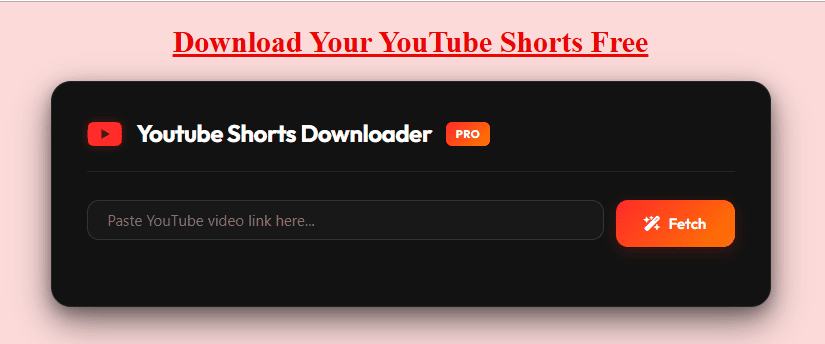
When you own the Short or have clear permission, an online tool is the quickest path to an MP4 file. The process is nearly identical across tools, including our own YouTube Shorts downloader.
- Copy the link. In the YouTube app, tap Share, then Copy link. On a computer, copy the address from the browser bar. A Shorts link contains
/shorts/. - Paste it into the tool. Use the input box and press the fetch or download button.
- Pick a format and quality. MP4 is the standard choice for video. Higher resolutions give sharper playback but larger files.
- Save the file. On Android, the MP4 usually lands in your Downloads folder and may need to be moved to the gallery. On an iPhone, use the Files app, then tap Share and Save Video to send it to Photos.
If you want a longer walkthrough with screenshots for each device, our step-by-step guide to download YouTube Shorts covers phone and desktop separately.
A practical tip for a YouTube short download in India: use Wi-Fi where possible. A short clip is a small file, but repeated attempts on mobile data add up quickly, especially if a fetch fails and you retry several times.
Which Quality and Format Should You Pick?
The options you see depend on what the creator uploaded. A tool cannot create detail that was never there, so a Short filmed in poor light on an older phone will look soft at any setting. Many tools advertise up to 1080p for Shorts, and that is the practical ceiling to expect.
| Quality | Typical size (vertical) | Best for |
|---|---|---|
| Full HD | 1080 x 1920 | Editing, archiving your own work, large screens |
| HD | 720 x 1280 | Everyday phone viewing and sharing |
| SD | 480 x 854 | Saving storage and data |
| Low | 360 x 640 | Quick previews and slow connections |
Our HD Shorts download page explains how to get the highest resolution available for a given clip.
Keep three points in mind when you plan a YouTube short download:
- Vertical matters. Real Shorts are 9:16. Some Shorts are reformatted horizontal videos, and those may not download as true vertical footage.
- MP4 is the safest format. It plays in nearly every gallery app and video editor.
- MP3 means audio only. Many tools offer it, but the soundtrack is often licensed music. Extracting it is only appropriate for audio you own or are allowed to use.
If you need a full-length video instead of a Short, use a 1080p YouTube video downloader, which handles normal watch-page links.
How to Check a YouTube Short Download Tool Is Safe
Free download sites are not all equal, and many earn money through aggressive ads. A few habits protect you.
- Never install an app or extension to get one file. A genuine link-based tool works in the browser. If a site pushes an .exe, .apk, or .dmg, close it.
- Never sign in with your Google account. A downloader that needs your YouTube login is a red flag.
- Watch for fake buttons. Several large Download buttons that are actually ads are common. The real button usually appears after the fetch step, with the file name and quality listed.
- Deny notification permission. Sites that ask to send alerts right away are often spam sources.
- Check for a privacy policy and contact page. Their absence tells you something.
- Be skeptical of absolute claims. Phrases like “100% safe” or “no limits ever” are marketing, not guarantees.
Our guide on whether a YT video downloader is safe goes deeper on malware, ads, and privacy.
Why Your YouTube Short Download Fails and How to Fix It
Most failures during a YouTube short download come from a short list of causes. Work through them in order.
The link is wrong. Copy the link again with the Share button. Trim extra text after the video ID if your browser added tracking parameters.
The Short is not public. Tools can only reach public videos. Private, deleted, and age-restricted Shorts usually cannot be fetched.
The tool is out of date. YouTube changes how it serves video from time to time, and a tool that worked last month can break. Try again later or use another reputable tool.
There is no sound. Some high-resolution streams are served as video only. Pick a different quality option that lists audio, or choose a standard MP4.
The file will not open. Use a modern player, or rename nothing and try the file in your phone’s gallery app first.
The file is missing. Check the browser’s Downloads list. On iPhone, look in the Files app rather than Photos.
The clip plays sideways or with bars. That Short was probably uploaded as a horizontal video. The source decides the orientation, not the tool.
Smart and Legitimate Uses for a YouTube Short Download
Most people who attempt a YouTube short download have an ordinary reason. These are the uses that tend to be both useful and defensible:
- Backing up your own content. Keep a copy of every Short you publish. Accounts can be restricted, and an archive protects your work.
- Cross-posting your own videos. Creators often reuse their Shorts on other short-video platforms. Download the original from Studio when you can, since it avoids quality loss from re-recording.
- Studying hooks and pacing. Watching a Short slowly in an editor shows where the first second lands, how long each cut runs, and when captions appear. Study the structure, then make something new.
- Teaching offline. A teacher can use an educational clip in a classroom with no signal, provided the license or permission allows it.
- Saving data. Download once on Wi-Fi, then rewatch without using mobile data.
If you manage a channel, our YouTube tags extractor and thumbnail downloader help with research on videos you are allowed to analyze.
The one use to avoid is reposting someone else’s Short as your own. Even when you add music or text, you are still building on work you do not own. Remixing through YouTube’s own remix tools is different, because YouTube links the new Short back to the source, and creators can restrict remixing on their videos.
YouTube Short Download FAQs
Can I do a YouTube short download without installing an app?
Yes. Browser-based tools work on Android, iPhone, Windows, and Mac without any installation. Paste the Shorts link, choose a quality, and save the MP4. If a site demands an installer, treat that as a warning sign and leave.
Is a YouTube short download free in India?
Using a browser-based tool is usually free, and downloading your own Shorts from YouTube Studio is free. Offline viewing inside the YouTube app requires a paid plan such as Premium or Premium Lite. Check YouTube’s Premium page for the current price and features.
How long can a Short be before I download it?
A Short can be up to three minutes if it is square or vertical and was uploaded on or after October 15, 2024. Older Shorts were limited to one minute. Longer videos are regular uploads, not Shorts.
Can I do a YouTube short download as MP3?
Many tools can extract audio, but the soundtrack is often copyrighted music or someone else’s voice. Only use MP3 extraction for audio you created or have permission to use.
Why is there no download button on some Shorts?
YouTube decides which videos can be saved offline, and creator settings and licensing can restrict it. The option also depends on your account type and region. When the button is missing, the Short is not available for official offline saving.
Can I download a private or age-restricted Short?
Not with standard tools. They can only reach public videos. Private, deleted, and age-restricted Shorts are generally off limits, and you should not try to bypass those restrictions.
Final Thoughts on YouTube Short Download
A good YouTube short download habit starts with one question: do I have the right to keep this file? If the Short is yours, use YouTube Studio. If you only want to rewatch it, use Premium offline or a playlist. If you have permission, a browser-based tool is the fast option, as long as you stay alert to ads, installers, and fake buttons.
The best results come from matching the method to your purpose. Download in the highest quality you need and no more, credit creators whenever you share, and keep reposted material original. That approach keeps your device safe, your account clean, and your content on solid ground.