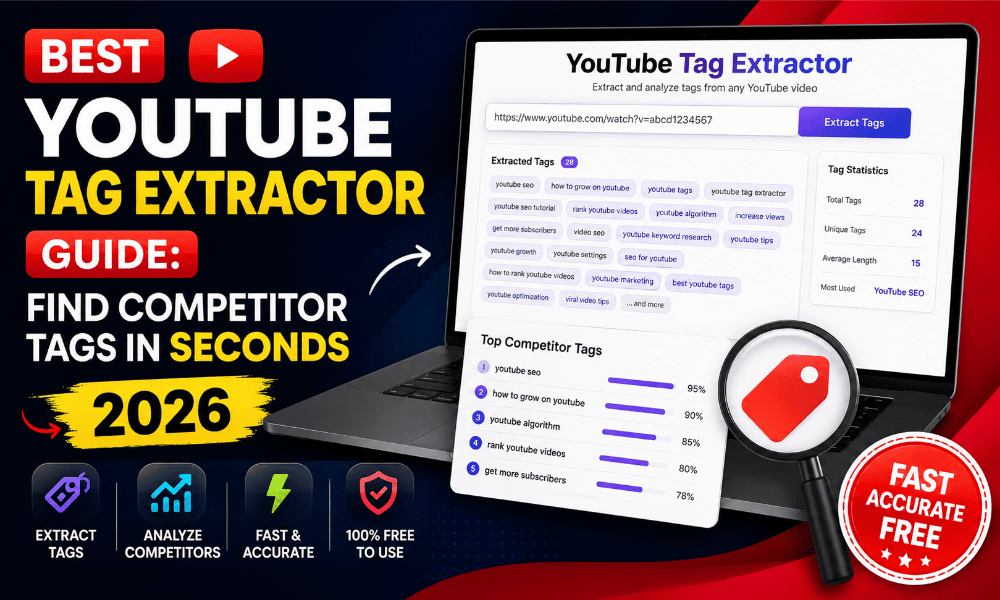
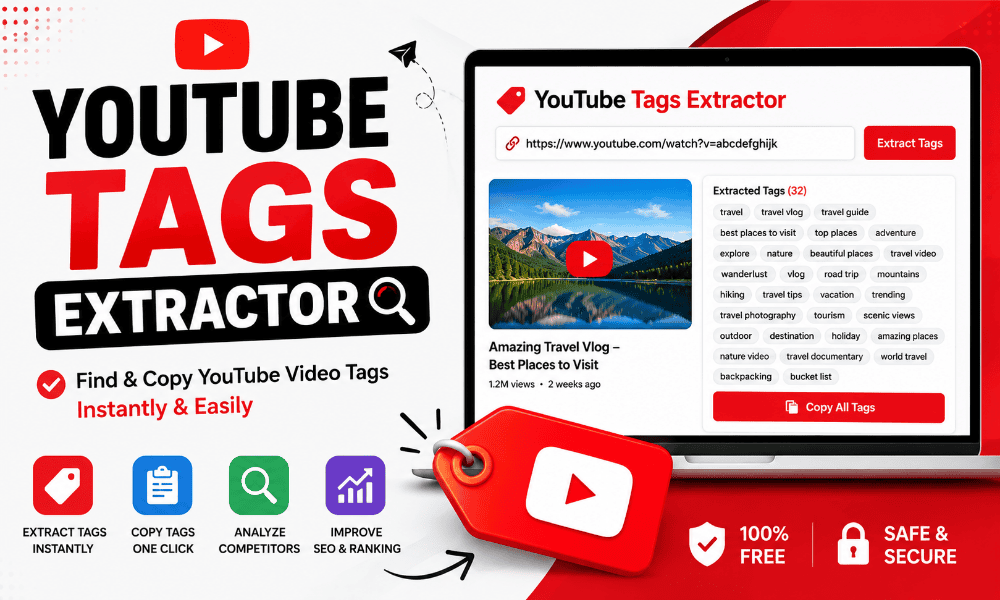
If you want to perform a reliable yt tag extract to see what hidden metadata top videos use, you need a straightforward method. YouTube hides video tags from the standard watch page interface, but those keywords remain visible in the page’s underlying HTML code. Learning how to extract tags from youtube video link lets you see how competitors position their content for search and recommendation engines. Running a quick yt tag extract gives you immediate visibility into the exact terms creators attach to their uploads. While YouTube has reduced the weight of tags compared to titles and thumbnails, tags still play an active role in resolving search misspellings and clarifying video context. Understanding how to execute a tag check properly helps you reverse-engineer ranking strategies without guessing.
Quick Answer
A yt tag extract is the process of retrieving the hidden keyword tags embedded in a YouTube video’s HTML metadata. You can pull tags manually by inspecting the page source or automatically by pasting a link into a specialized tool. This reveals the specific keywords, misspellings, and category terms the uploader assigned to help YouTube index the video. Full walkthrough here: youtube tag extractor.
To run a yt tag extract right now, simply copy any video URL, paste it into an online extractor tool, and review the generated list of metadata tags. Alternatively, open the video in your browser, right-click to select “View Page Source,” press Ctrl+F (or Cmd+F), and search for the phrase “keywords” within the page code. Both methods pull the exact same backend tags directly from YouTube’s server response.

What Is a yt tag extract?
A yt tag extract refers to pulling the stored backend keywords from any public YouTube video. When a creator uploads a video, YouTube gives them a metadata field with a 500-character limit. These tags are hidden from regular viewers on desktop and mobile layouts, sitting directly inside the HTML header of the video page.
When you run a yt tag extract, you bypass the clean user interface and read the raw metadata. YouTube uses this metadata alongside the video title, description, and automated transcript to categorize content. Performing a tag check gives you a complete view of how another channel described its video to the algorithm during upload.
Technically, a yt tag extract targets specific meta tags in the document object model. The most common string where these tags live is the meta name keywords element or the response payload from YouTube’s internal API. Using a dedicated yt tag extract tool or youtube tag scraper automates this process by scraping those lines of code in milliseconds, presenting them as plain text list items you can read and copy easily.
Why Use It?
Executing a yt tag extract gives you direct insight into your competitors’ optimization habits without spending hours on manual research. When a video in your niche gets hundreds of thousands of views, you want to know what contextual signals contributed to that reach. Pulling keywords exposes the exact phrases that creator relied on to win search rankings and suggested placements.
Another reason to perform a yt tag extract is to discover long-tail keyword variations you might have missed. Creators often place niche phrases and common user misspellings inside their tag boxes. A fast extraction allows you to collect those real-world search queries and add them to your own YouTube video metadata strategy.
Finally, a regular yt tag extract saves you time during keyword research. Instead of brainstorming dozens of tag variations from scratch, you can inspect five top-performing videos in your sector. A thorough review reveals the common overlap among those top rankers, giving you a baseline set of tags proven to align with YouTube’s topic clusters.
Benefits
Using a dedicated workflow for your yt tag extract tasks streamlines video preparation while replacing speculation with verified data. Instead of spending twenty minutes guessing tags, you get verified competitive data in two seconds. More detail here: extract youtube tags.
- Accelerated Keyword Research: A quick yt tag extract reveals high-performing search terms directly from successful videos in your niche.
- Competitive Benchmarking: Reviewing competitor tags shows whether top channels use short-tail phrases, long-tail phrases, or branded keywords.
- Misspelling Identification: Analyzing extracted metadata highlights how competitors capture traffic from common viewer typos.
- Improved Indexing Context: Understanding hidden metadata helps you see how YouTube groups similar videos together in recommended feeds.
- Export Efficiency: Modern tools let you pull metadata and copy formatted tags with one click.
When you combine these benefits, your workflow becomes significantly faster. You stop relying on guesswork and start making decisions based on live metadata gathered through a reliable workflow.
Key Features
An effective yt tag extract tool provides clean tag formatting, instant link parsing, and bulk export capabilities that manual code inspecting cannot match. These core features simplify competitor research and speed up daily publishing work.
First, an effective tool offers instant parsing. You paste the link, and the system completes the yt tag extract within milliseconds. It strips away extra HTML code, javascript wrappers, and quotation marks, leaving only raw, comma-separated keywords ready for your upload dashboard.
Second, advanced platforms support batch operations. Instead of running one video at a time, you can input five or ten video links simultaneously. The system executes bulk processing, identifies overlapping tags across all target videos, and highlights the most frequently used terms.
Third, quality tools include one-click export features. After retrieving your tags, you can copy the results directly to your clipboard or download them as a CSV file. This speeds up the process of transferring metadata into your channel management software or client reporting sheets.
Who Should Use This Tool?
A reliable yt tag extract workflow serves anyone who manages, produces, or markets content on YouTube. Whether you run a single personal channel or manage dozens of client accounts, pulling accurate tag data adds precision to your publishing process.
Content Creators and Vloggers: Solo creators use a yt tag extract to benchmark their videos against established leaders in their niche. By reviewing hidden keywords on top-ranking content, independent creators can plug metadata gaps in their own uploads. Related read: youtube video tag finder.
SEO Agencies and Strategists: Digital marketing teams running audits for clients depend on a yt tag extract to analyze competitor strategy. Learning how to use competitor tags for youtube seo helps agencies demonstrate value and build data-backed video optimization blueprints. Related read: youtube video tag finder.
Video Editors and Producers: Freelance video managers responsible for uploading client files use a quick yt tag extract to finish metadata entry faster. Having an instant extraction utility in their browser workflow ensures every client video goes live fully optimized without delays.
How to Use It
Performing a yt tag extract takes only a few simple steps to gather clean keyword tags from any public YouTube URL in seconds. Follow this straightforward process to grab hidden metadata:
- Copy the Video Link: Navigate to YouTube, open the target video, and copy its full URL from the browser address bar or the share menu.
- Paste into the Extractor: Open your chosen yt tag extract tool and paste the copied URL into the central input box.
- Trigger the Extraction: Click the extract button to begin the automated yt tag extract process.
- Review the Extracted Tags: The system reads the video backend and displays the complete list of tags on your screen.
- Copy or Export: Click the copy button to transfer the tags to your clipboard, or download them for your content planning files.
If you prefer a manual approach without external tools, learning how to view youtube video tags in page source lets you perform a manual yt tag extract directly in your browser. Right-click the video page, select “View Page Source,” press Ctrl+F, and search for og:video:tag or keywords. You will find the tags listed inside the source code content attributes, though manual extraction takes slightly more time to clean up.
Supported Features / Quality
A professional yt tag extract utility must handle diverse video formats, multi-language characters, and edge-case URLs cleanly. High-performing extractors process short links, standard watch URLs, mobile share links, and live stream archives without throwing errors.
Language support is critical during a modern yt tag extract. YouTube creators publish content globally in hundreds of languages. A robust tool handles UTF-8 encoding seamlessly during every yt tag extract, accurately rendering non-Latin scripts, emojis, and special symbols without corrupting the text strings.
Quality also depends on clean output handling. When an automated system runs a yt tag extract, it should automatically filter out site-level tags like general channel names or system parameters unless they were explicitly set as video tags. Clean parsing ensures that every keyword you gather from your yt tag extract is directly usable inside your own YouTube Studio tag box.
Browser-Based vs App-Based
Choosing how to run your daily yt tag extract tasks comes down to convenience, system memory, and installation preferences. Web-based tools offer instant browser access across any device, while dedicated extensions integrate right into your viewing layout. Worth checking: yt tag extract tool.
Web-based tools offer instant access without installation. You can execute a quick yt tag extract on any device—whether you are working on a Chromebook, Mac, Windows PC, or smartphone. Server-side updates update automatically, ensuring your yt tag extract functionality never breaks when YouTube updates its underlying site structure.
App-based extractors or browser extensions, on the other hand, integrate directly into your YouTube viewing interface. When installed, an extension overlays the results of a yt tag extract right beside the video player as you watch. However, extensions require local installation, consume browser memory, and require frequent updates to remain functional against layout shifts on YouTube.
For most creators and agencies, a web-based yt tag extract page provides the ideal balance of speed, security, and convenience. You get lightweight performance without granting third-party extensions persistent access to your full browser history.
Common Use Cases
Executing a yt tag extract helps creators analyze competitor traffic spikes, refresh legacy uploads, expand search term coverage, and generate cross-platform hashtags. Understanding these practical scenarios lets you pull metadata with clear intent.
1. Competitor Analysis: When a competing channel drops a video that spikes in views, run an immediate yt tag extract. Seeing their tags helps you understand whether they hit a trending search phrase or targeted a specific content cluster.
2. Revamping Legacy Content: If you have old videos on your channel that have stopped getting views, perform a yt tag extract on current top search results for that topic. Update your old uploads with fresh, relevant metadata derived from your recent yt tag extract findings. Step-by-step here: extract tags from youtube video.
3. Expanding Search Coverage: Use a yt tag extract to discover long-tail phrases you wouldn’t have thought of on your own. Learning how to copy keywords from high ranking youtube videos gives you raw material for building a comprehensive Google Trends keyword outline for future uploads.
4. Cross-Platform Content Distribution: When repurposing YouTube videos for other platforms, running a yt tag extract helps you quickly generate social hashtags and category tags without typing them out manually. Step-by-step here: extract tags from youtube video.
Best Practices
While running a yt tag extract gives you instant access to competitor metadata, blindly copying every tag you find is a bad strategy. YouTube penalizes accounts that engage in deceptive metadata practices, so you must apply sound strategy to your extracted data.
Always filter the results of your yt tag extract for relevance. Remove any channel names, personal brand tags, or trademarked terms that belong exclusively to the original uploader. Including another creator’s brand name in your tags purely to siphon views violates YouTube’s spam policies and can result in video suppression.
Mix broad category keywords with highly specific long-tail tags. After completing a yt tag extract, select 3 to 5 broad terms that describe your overall topic, followed by 5 to 8 specific phrases that describe the exact content of your video. This balanced approach helps the algorithm index your video accurately across both wide and narrow search queries.
Keep your total character count well within YouTube’s 500-character limit. You do not need to fill every single character spot simply because a tool allowed you to perform a massive yt tag extract. Focus on 10 to 15 highly accurate tags rather than 40 weak ones.
Comparison Table
Choosing the right method to retrieve video tags depends on your technical comfort, speed requirements, and export needs. The table below compares the primary ways creators view backend tags on YouTube.
| Extraction Method | Speed | Technical Effort | Accuracy | Export Capability |
|---|---|---|---|---|
| Web-Based Extract Tool | Instant (< 2 sec) | None (Paste URL) | 100% Exact | One-Click Copy / CSV |
| Manual Page Source View | Slow (30–60 sec) | Medium (Code Search) | 100% Exact | Manual Highlight & Copy |
| Browser Extensions | Fast (Overlay) | Low (Install Needed) | 100% Exact | On-Screen Copy |
| YouTube Data API v3 | Developer Speed | High (Coding Required) | 100% Exact | JSON / Script Output |
As shown above, a dedicated web tool offers the fastest path for a complete yt tag extract without requiring technical installation or complex API setups. See also: view youtube video tags.
Is It Safe?
Running a yt tag extract is completely safe and carries zero risk to your YouTube account. The tag extraction process simply reads public HTML metadata that YouTube sends to every web browser requesting a video page. You are not hacking into private databases or accessing secured account settings. See also: view youtube video tags.
Web-based tools that perform a yt tag extract do not ask for your YouTube login credentials, password, or channel permissions. Because you never log in to execute a tag check, your account remains fully protected against authorization leaks or third-party account access risks.
Furthermore, YouTube does not ban or flag users for checking public page metadata. Every standard web browser automatically downloads this exact same metadata every time a video loads. Using a dedicated utility simply formats that open-source code into a readable list for human evaluation.
Is It Legal?
Yes, conducting a yt tag extract is legal because you are viewing publicly accessible metadata published on the open web. When creators upload videos to YouTube and make them public, they transmit metadata tags to client browsers around the world. Pulling this metadata through a tag tool does not violate copyright law, as short individual search keywords are not protected by copyright.
However, how you use the data gathered from a yt tag extract matters. Reusing publicly available tags as general keyword inspiration for your own original videos is standard practice across digital media. You are free to study how competitors organize their metadata and adapt similar keyword strategies for your content.
The legal boundary comes into play regarding trademark infringement and brand impersonation. If your search reveals proprietary brand names, trademarked terms, or personal names belonging to competitors, you should omit those specific terms from your own tag list. Re-using competitor trademarks in your metadata to confuse viewers can breach platform terms and local fair competition rules.
Common Mistakes
Even experienced creators make basic errors when utilizing metadata obtained from competitors. Avoiding these common traps ensures your channel stays compliant while maximizing search visibility. Full walkthrough here: free youtube tag extractor.
1. Direct Copy-Pasting: The biggest mistake is copying the entire output of an extraction and pasting it directly into your video settings without editing. Every video is unique, and copying identical tag lists can trigger automated duplicate content flags or spam detection. Full walkthrough here: free youtube tag extractor.
2. Leaving In Competitor Brand Names: When you run a tag check on a rival channel, their brand tags will often appear in the list. Leaving another creator’s unique channel name in your metadata is misleading and can get your video flagged under YouTube’s impersonation and spam policies.
3. Ignoring Title and Description Alignment: Tags do not work in isolation. If you use keywords gathered from competitor research, make sure those core concepts are also reflected naturally in your video title, description, and spoken script. Metadata harmony is critical for long-term algorithmic ranking.
4. Overstuffing Irrelevant Tags: Adding fifty loosely related tags just because you saw them on another channel dilutes your video’s core focus. YouTube’s algorithm favors precision over volume when categorizing uploads.
Pro Tips
To get maximum value from competitor metadata, adopt advanced strategic workflows used by professional growth agencies. These practical methods convert raw tag data into actionable publishing advantages.
Establish a Baseline Tag Set: Inspect the top five ranking videos for your primary target keyword. Paste all extracted tags into a spreadsheet and highlight the terms that appear across three or more videos. This group of overlapping keywords forms your master baseline tag list for that topic cluster.
Focus on First-Five Tag Priority: YouTube pays closest attention to the first few tags listed in your video settings. When analyzing top competitors, look closely at the first three to five keywords they placed. Those leading positions reveal what the uploader considers the true core focus of their video.
Combine Tag Extraction with Spoken Content: Modern YouTube algorithms rely heavily on automated speech-to-text transcripts. Use your research findings to guide what you explicitly say out loud during the first minute of your video recording. When your spoken words, title, description, and extracted tags match, your topical authority score increases. More detail here: youtube metadata extractor.
Why Choose Our Tool?
When you need to run a fast, accurate yt tag extract, our web utility offers a clean experience built specifically for modern creators and agency professionals. We stripped away cluttered advertisements, invasive trackers, and slow scripts to give you pure performance. More detail here: youtube metadata extractor.
Our platform handles metadata requests directly through optimized backend processing. You get instant tag parsing, multi-language support, and zero rate limits whether you analyze one video or fifty. There are no software downloads, browser extensions to manage, or account fees, making it the best free yt tag extract tool online.
Respect for user privacy sits at the core of our service. You can execute any tag pull completely anonymously without signing up, providing an email address, or granting channel permissions. We deliver accurate metadata extraction in a light, mobile-friendly interface designed to streamline your daily workflow.
Conclusion
Mastering the practice of a reliable yt tag extract gives you a clear competitive edge when optimizing your YouTube content strategy. By uncovering hidden backend metadata from top-performing videos, you eliminate keyword speculation and build data-driven optimization plans. Remember to always filter extracted tags for direct relevance, remove trademarked competitor names, and align your tags naturally with your video titles and transcripts.
Ready to level up your YouTube SEO workflow? Copy the URL of any top-performing video in your niche right now, run your first analysis, and update your channel metadata strategy today.
Frequently Asked Questions
-
Can I perform a yt tag extract on my mobile phone?
Yes, you can pull video tags easily on any mobile device. Simply copy the video share link from the YouTube mobile app, paste it into an online extractor tool in your mobile web browser, and tap extract to view all backend keywords instantly.
-
Does running a tag extraction show private channel data?
No, pulling video tags only reveals public metadata attached to published videos. It does not give you access to private videos, unlisted channel analytics, revenue figures, or account login details. Related read: find hidden youtube tags.
-
Are tags still important for YouTube SEO in 2026?
Yes, tags still play an active secondary role in video indexing. While titles, thumbnails, and watch time drive primary traffic, checking competitor tags helps you capture misspellings, colloquial terms, and contextual metadata that strengthen overall search placement. Related read: find hidden youtube tags.
-
Why are some tags missing during an extraction?
If an extractor returns zero tags, the uploader simply chose not to enter any keywords in their tag box during upload. YouTube allows creators to publish videos without tags, so an empty output simply reflects an empty tag field in the original video settings.
-
Is there a limit on how many tags an extractor can pull?
An extraction tool will pull every single tag saved on that video up to YouTube’s official limit. YouTube caps video tag entry at 500 total characters, meaning an extraction will typically yield between 10 and 30 individual keyword phrases per video.
-
How do I know why are youtube video tags hidden from viewers?
YouTube hides video tags from the watch page to keep the viewing interface clean and uncluttered. While hidden from regular sight, those tags remain in the underlying HTML code for search engines to index.
-
Can I extract tags from private or unlisted videos?
No, you cannot pull tags from private videos because their backend code is protected behind account permissions. However, you can extract tags from unlisted videos if you hold the direct share link to that specific upload page.
-
Will the video owner know if I check their tags?
No, video owners receive no notifications or analytics alerts when someone checks their public video tags. Viewing public page metadata is entirely anonymous and indistinguishable from standard browser visits.
-
What is the difference between video tags and channel tags?
Video tags are specific keywords assigned to an individual upload. Channel tags are broader keywords applied across an entire channel profile to define its overall niche, sitting in a different location in YouTube’s site code.
-
Can I pull tags from YouTube Shorts?
Yes, you can extract tags from YouTube Shorts just like standard long-form videos. Simply convert the Short URL to a standard watch link if necessary, paste it into the extraction tool, and view the associated metadata tags immediately.