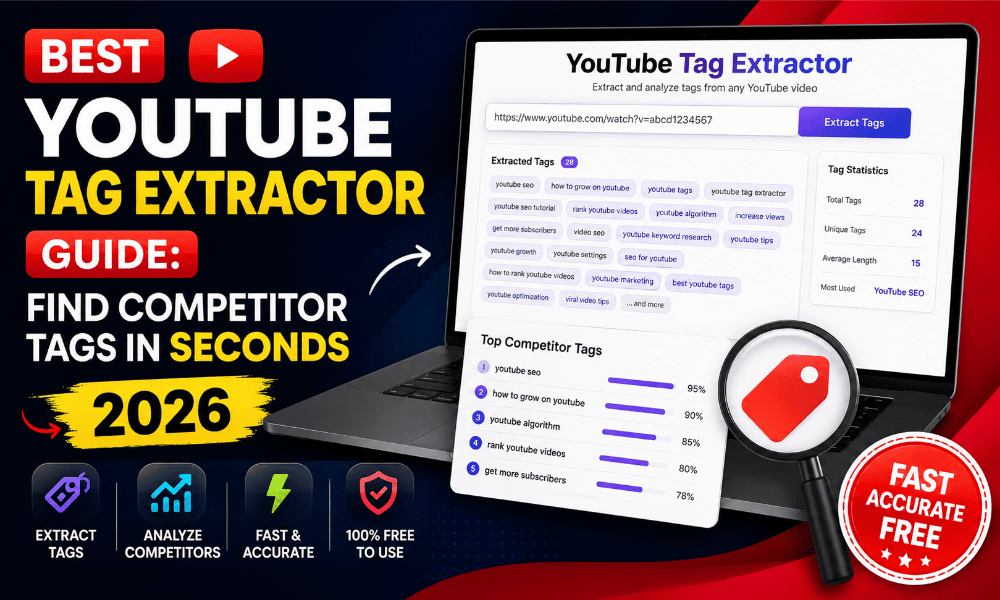
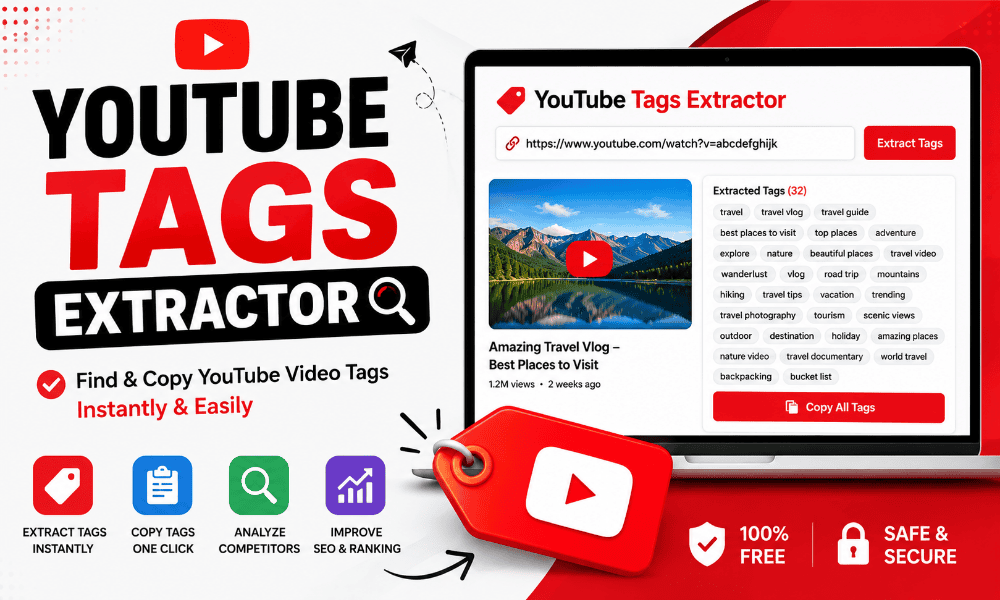
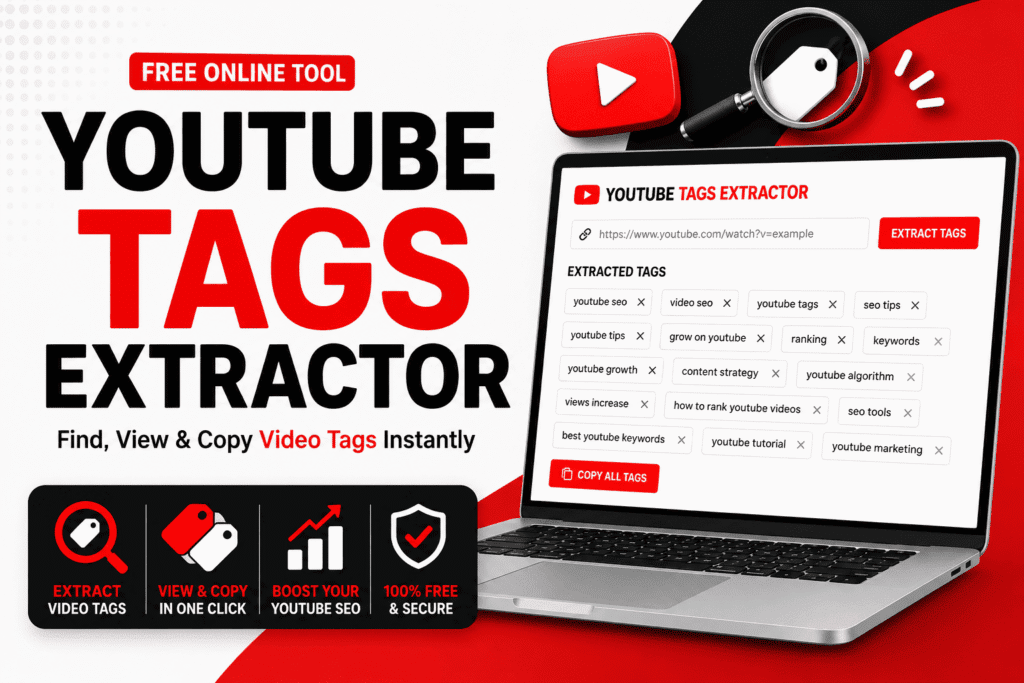
Growing a YouTube channel in 2026 is more competitive than ever. Every minute, creators from around the world upload new videos across thousands of niches, making it increasingly difficult to stand out. While high-quality content remains the foundation of success, optimizing your channel for YouTube Search is equally important. One often-overlooked optimization method is using the right YouTube Channel Tags Extractor to analyze and discover relevant channel tags.
A YouTube Channel Tags Extractor helps creators identify the tags used by successful YouTube channels. Instead of guessing which keywords might improve your channel’s visibility, you can analyze competitor channels, understand their SEO strategy, and build a smarter keyword plan based on real data.
Whether you’re launching a brand-new channel, growing a personal brand, managing a business channel, or researching competitors, using a YouTube Channel Tag Extractor can save hours of manual work while helping you make better SEO decisions.
In this complete guide, you’ll learn how channel tags work, why they still matter in 2026, how to Extract YouTube Channel Tags, and how to use them strategically without violating YouTube’s best practices.
What Is a YouTube Channel Tags Extractor?
A YouTube Channel Tags Extractor is an online SEO tool that allows users to view and analyze the hidden channel tags associated with a YouTube channel.
These tags provide additional context about a creator’s niche, topics, and audience. Although viewers don’t normally see channel tags, they help YouTube better understand what a channel is about.
Instead of manually inspecting page source code or using browser extensions, a Free YouTube Channel Tags Extractor automatically retrieves channel tags in just a few seconds.
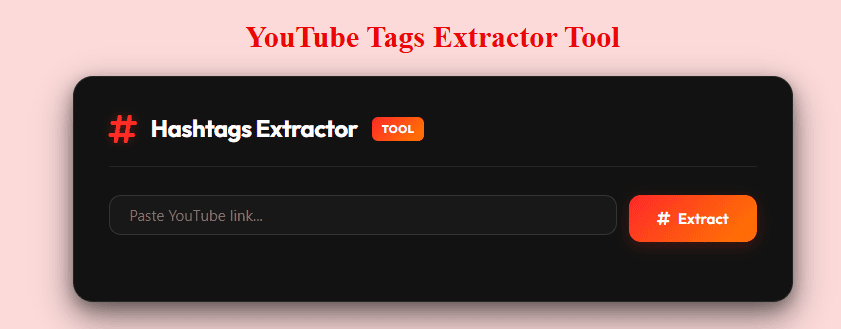
Quick Definition
YouTube Channel Tags Extractor: An online tool that helps users extract and analyze the hidden SEO tags used by any public YouTube channel.
Why Channel Tags Still Matter in 2026
Many creators believe channel tags no longer influence YouTube SEO. While channel tags are not as powerful as titles, descriptions, or video content, they still contribute to helping YouTube understand your overall channel identity.
Think of channel tags as an additional layer of information that supports your channel’s niche.
For example, if your channel focuses on technology reviews, your channel tags might include keywords like:
- Smartphone Reviews
- Android Tips
- Tech News
- Gadget Reviews
- Mobile Comparisons
These tags reinforce your channel’s topic and can complement other optimization efforts.
More importantly, analyzing competitor channel tags helps you discover keyword opportunities you might otherwise overlook.
Why Creators Use a YouTube Channel Tags Extractor
Thousands of creators use YouTube Channel Tags Finder tools every day for different reasons.
Competitor Research
One of the biggest advantages is competitor analysis.
Instead of guessing how successful creators optimize their channels, you can instantly view their channel tags and identify recurring keyword themes.
This makes it easier to understand:
- Target audience
- Content niche
- Branding strategy
- Keyword focus
Better Keyword Research
Finding relevant keywords can be time-consuming.
A YouTube Channel Tags Extractor simplifies this process by revealing keywords already being used by successful creators in your niche.
Rather than starting from scratch, you gain valuable keyword ideas that can inspire your own optimization strategy.
Improve Channel SEO
Channel tags should support your overall branding.
Using relevant and consistent keywords helps YouTube better categorize your content and understand your expertise.
Although channel tags alone won’t rank your videos, they contribute to stronger overall channel optimization.
Save Time
Without an extraction tool, finding channel tags requires inspecting page source code or using technical browser methods.
An Online YouTube Channel Tags Extractor automates the entire process and delivers results within seconds.
How Does a YouTube Channel Tags Extractor Work?
Most online extractors follow a simple process.
Step 1
Copy the URL of the YouTube channel you want to analyze.
Step 2
Paste the URL into the YouTube Channel Tags Extractor search box.
Step 3
Click the Extract button.
Step 4
The tool scans publicly available channel metadata.
Step 5
Within seconds, the extracted channel tags appear on your screen.
Many tools also allow users to copy all tags with a single click.
What Information Can You Learn from Channel Tags?
Extracting tags provides more than just keywords.
You can discover valuable SEO insights, including:
Primary Keywords
These represent the main topics a creator wants YouTube to associate with their channel.
Secondary Keywords
Supporting keywords reveal additional topics covered by the creator.
For example, a digital marketing channel might include:
- SEO Tips
- Blogging
- Affiliate Marketing
- Content Marketing
- Google Analytics
Niche Focus
Channel tags often reveal exactly which audience a creator is targeting.
This helps new creators position themselves more effectively within the same niche.
Branding Keywords
Many successful channels include their brand name as one of their channel tags.
This strengthens brand recognition across YouTube Search.
Benefits of Extracting Competitor Channel Tags
Analyzing competitor channels can provide valuable SEO insights.
Here are some of the biggest benefits.
Discover Keyword Opportunities
Successful creators often uncover high-performing keywords through years of testing.
Using a YouTube Channel Tags Finder, you can identify these opportunities much faster.
Understand Your Niche
Different niches use different keyword strategies.
Analyzing multiple competitor channels helps reveal common keyword patterns.
Improve Content Planning
Channel tags often reflect future content direction.
Studying them may inspire new video ideas.
Identify Trending Topics
Competitors frequently update channel tags as their content evolves.
Regular analysis helps you stay informed about changing trends.
YouTube Channel Tags vs Video Tags
Many beginners confuse channel tags with video tags.
Although both relate to SEO, they serve different purposes.
| Feature | Channel Tags | Video Tags |
|---|---|---|
| Applies To | Entire Channel | Individual Video |
| SEO Focus | Overall Channel Identity | Single Video |
| Updates | Rarely Changed | Updated Frequently |
| Keyword Type | Broad Topics | Specific Search Queries |
| Best For | Branding | Video Discovery |
Understanding this difference allows creators to optimize both their channel and individual videos more effectively.
Common Myths About Channel Tags
Several misconceptions continue circulating among YouTube creators.
Let’s separate myths from facts.
Myth 1: Channel Tags Directly Rank Videos
Not exactly.
Channel tags support overall channel context but are not considered a major ranking factor by themselves.
Myth 2: More Tags Mean Better Rankings
Adding dozens of unrelated tags won’t improve visibility.
Quality and relevance are far more important than quantity.
Myth 3: Copying Competitor Tags Guarantees Success
Simply copying competitor tags isn’t enough.
Successful channels combine keyword optimization with valuable content, engaging thumbnails, consistent uploads, and audience retention.
Channel tags should inspire your strategy—not replace it.
Quick Facts
| Information | Details |
|---|---|
| Tool Type | YouTube SEO Tool |
| Best For | Competitor Research |
| Cost | Free |
| Registration Required | No |
| Platform | Web-Based |
| Mobile Friendly | Yes |
| Works on Desktop | Yes |
| Beginner Friendly | Yes |
How to Choose the Best YouTube Channel Tags
Choosing the right channel tags isn’t about adding as many keywords as possible. Instead, it’s about helping YouTube understand your channel’s niche and the audience you want to reach.
A well-optimized set of channel tags should accurately represent your content while remaining relevant to your overall brand.
Here are the best practices followed by successful creators in 2026.
Focus on Your Main Niche
Your first few channel tags should describe your primary niche.
For example, if your channel is about YouTube growth, your tags might include:
- YouTube SEO
- YouTube Growth
- YouTube Tips
- YouTube Marketing
- Content Creation
Avoid mixing unrelated topics because this can confuse YouTube’s recommendation system.
Use Broad and Specific Keywords
A balanced keyword strategy works best.
Broad keywords help define your overall niche, while specific keywords target particular topics.
Example:
Broad Tags
- Technology
- Gaming
- Education
Specific Tags
- Smartphone Reviews
- Gaming Tutorials
- Python Programming
Using both types creates a stronger SEO foundation.
Include Your Brand Name
Every professional creator should include their channel name as one of their tags.
Brand tags help YouTube associate your videos with your channel and improve brand recognition over time.
Example:
- TechWorld
- TechWorld Official
- TechWorld Reviews
Think Like Your Audience
Ask yourself:
“What words would someone type into YouTube to find my content?”
If your audience searches for “WordPress Tutorials,” your channel tags should naturally include that keyword instead of unrelated terms.
Always optimize for users first and algorithms second.
Best Practices for YouTube Channel SEO
Channel tags are only one piece of YouTube SEO.
Successful creators combine them with other optimization techniques.
Write a Keyword-Rich Channel Description
Your About section should clearly explain:
- What your channel is about
- Who your audience is
- What viewers will learn
- How often you upload
A well-written description reinforces the same topics used in your channel tags.
Maintain Content Consistency
If your channel focuses on AI tools, avoid suddenly uploading unrelated cooking videos.
Consistent content helps YouTube understand your expertise and improves recommendation accuracy.
Use Relevant Video Titles
Every video title should naturally include keywords related to your niche.
Avoid misleading or clickbait titles.
Instead, write titles that accurately describe your content while encouraging clicks.
Optimize Your Video Descriptions
Descriptions help YouTube understand your videos.
Include:
- Primary keywords
- Secondary keywords
- Helpful summaries
- Relevant links
Natural writing always performs better than keyword stuffing.
Design Professional Thumbnails
High-quality thumbnails improve click-through rate (CTR).
Good thumbnails usually include:
- Clear images
- Bold text
- Strong contrast
- Consistent branding
Higher CTR often leads to better overall performance.
Common Mistakes to Avoid
Many creators unknowingly reduce their SEO performance by making simple mistakes.
Using Irrelevant Tags
Never add trending keywords that have nothing to do with your content.
Example:
A technology channel should not use cooking-related tags simply because they are popular.
Relevant keywords always outperform random ones.
Keyword Stuffing
Adding the same keyword repeatedly doesn’t improve rankings.
Instead of this:
YouTube SEO
YouTube SEO Tips
Best YouTube SEO
YouTube SEO Guide
YouTube SEO Tool
Use a more natural variation:
- YouTube SEO
- YouTube Growth
- Video Optimization
- Content Strategy
- Creator Tools
Copying Every Competitor Tag
Competitor research should inspire your strategy—not replace it.
Successful creators build unique brands.
Only use tags that accurately describe your own content.
Ignoring Channel Updates
Your channel evolves over time.
Review your tags every few months to ensure they still match your content.
Advanced Competitor Research Strategy
Successful YouTubers rarely analyze just one competitor.
Instead, they compare multiple channels to identify recurring keyword patterns.
Step 1
Choose five successful channels in your niche.
Step 2
Use a YouTube Channel Tags Extractor to extract tags from each channel.
Step 3
Create a spreadsheet.
Record recurring keywords that appear across multiple channels.
Step 4
Identify keyword gaps.
Ask yourself:
- Which important keywords am I missing?
- Which topics appear repeatedly?
Step 5
Build your own optimized tag list based on research—not copying.
This strategy provides significantly better long-term results.
How to Optimize Your Own Channel Tags
Creating effective channel tags requires planning.
Here’s a proven structure.
Brand Tags
Example:
- Your Channel Name
- Your Brand Name
Niche Tags
Example:
- YouTube SEO
- Digital Marketing
- WordPress Tutorials
Topic Tags
Example:
- Keyword Research
- SEO Tips
- AI Tools
Audience Tags
Example:
- Beginners
- Content Creators
- Small Businesses
This layered approach helps YouTube understand your overall channel identity.
How Many Channel Tags Should You Use?
There isn’t an official number recommended by YouTube.
However, quality matters much more than quantity.
Most successful creators focus on 10–20 highly relevant tags instead of filling the field with unrelated keywords.
Your tags should describe:
- Your niche
- Your audience
- Your expertise
- Your brand
Avoid adding keywords simply to fill space.
Who Should Use a YouTube Channel Tags Extractor?
A YouTube Channel Tags Extractor is useful for almost anyone managing a YouTube presence.
New Creators
Learn how successful channels optimize their branding.
Growing Channels
Identify new keyword opportunities and improve discoverability.
Businesses
Strengthen brand positioning and attract the right audience.
Digital Marketers
Research competitors and understand industry trends.
SEO Professionals
Analyze channel metadata to improve YouTube optimization strategies.
Comparison: Manual Research vs Channel Tags Extractor
| Feature | Manual Research | Channel Tags Extractor |
|---|---|---|
| Time Required | High | Low |
| Accuracy | Moderate | High |
| Ease of Use | Difficult | Very Easy |
| Competitor Analysis | Limited | Excellent |
| Beginner Friendly | No | Yes |
Using an extractor saves valuable time while providing more reliable insights.
Expert Tips for Better YouTube Channel SEO
Experienced creators follow several proven strategies.
- Focus on one clear niche.
- Publish consistently.
- Update channel tags when your content changes.
- Research competitors regularly.
- Optimize titles and descriptions together with channel tags.
- Build a recognizable brand identity.
- Create high-quality thumbnails.
- Prioritize audience value over algorithms.
When these strategies work together, channel tags become part of a much stronger YouTube SEO system.
Do Channel Tags Still Affect YouTube Rankings?
One of the most common questions creators ask is whether channel tags still influence YouTube rankings in 2026.
The short answer is yes—but indirectly.
Channel tags are no longer considered one of YouTube’s strongest ranking signals. However, they still help YouTube understand your channel’s overall niche, brand identity, and content focus. Think of them as supporting metadata rather than a primary ranking factor.
Today’s YouTube algorithm relies much more heavily on user behavior, watch time, click-through rate (CTR), audience retention, and content relevance. Even so, well-optimized channel tags contribute to a stronger SEO foundation when combined with other optimization strategies.
Instead of relying only on tags, creators should view them as one component of a complete YouTube SEO strategy.
Understanding YouTube Ranking Factors in 2026
If you want your videos and channel to grow, it’s important to understand what actually influences rankings.
Here are some of the most important ranking factors.
High-Quality Content
Content quality remains the foundation of YouTube success.
Videos that educate, entertain, or solve real problems naturally perform better over time.
Instead of chasing trends, focus on creating content that delivers genuine value to your audience.
Audience Retention
Retention measures how long viewers continue watching your videos.
The longer people stay engaged, the stronger the positive signal sent to YouTube’s algorithm.
Ways to improve retention include:
- Start with a strong hook.
- Remove unnecessary introductions.
- Keep the pacing consistent.
- Deliver value throughout the video.
Click-Through Rate (CTR)
CTR measures how often people click your video after seeing it.
A high CTR usually comes from:
- Attractive thumbnails
- Clear titles
- Curiosity-driven headlines
- Relevant topics
Even excellent videos struggle without compelling thumbnails and titles.
Watch Time
Watch time remains one of YouTube’s most influential metrics.
Videos that accumulate longer viewing sessions are more likely to appear in search results and recommendations.
Creating engaging content naturally increases watch time.
Consistent Upload Schedule
Consistency helps YouTube understand that your channel is active.
Whether you upload weekly or twice a week, maintaining a predictable schedule builds trust with both viewers and the algorithm.
Channel Authority
As your channel grows, YouTube develops a stronger understanding of your expertise.
Publishing consistent content within one niche gradually increases channel authority.
For example:
A channel focused entirely on WordPress tutorials is more likely to rank for WordPress-related searches than a channel covering random topics.
How a YouTube Channel Tags Extractor Helps SEO
Many creators assume an extractor simply copies competitor tags.
In reality, it’s much more valuable than that.
A YouTube Channel Tags Extractor helps you discover:
- Keyword opportunities
- Niche trends
- Competitor positioning
- Branding strategies
- Topic clusters
Instead of copying keywords blindly, you can identify patterns used by successful creators and adapt them to your own channel.
Real-World Example
Imagine you’re starting a YouTube channel about WordPress tutorials.
Without research, your tags might look like this:
- WordPress
- Website
- Blogging
These are broad and highly competitive.
After analyzing several successful channels using a YouTube Channel Tags Extractor, you might discover more targeted tags such as:
- WordPress Tutorials
- Elementor Guide
- WordPress SEO
- Rank Math SEO
- WordPress Plugins
- Website Design
- Blogging Tips
This gives you a much clearer understanding of how successful creators position themselves within the niche.
Frequently Overlooked YouTube SEO Opportunities
Many creators spend all their time optimizing video titles while ignoring other important areas.
Here are several overlooked opportunities.
Optimize Your Channel Description
Your channel description should clearly explain:
- Who you are
- What your channel offers
- Who your audience is
- What viewers can expect
Naturally include important keywords without overusing them.
Create Branded Playlists
Playlists improve organization and increase watch sessions.
They also provide additional opportunities to include relevant keywords.
Maintain Consistent Branding
Successful channels use consistent:
- Logos
- Banner designs
- Thumbnail styles
- Fonts
- Colors
Consistent branding improves recognition and trust.
Use Internal Linking
Mention related videos within your descriptions and pinned comments.
Encourage viewers to continue watching.
Higher session duration benefits your overall channel.
Analyze Performance Regularly
Review YouTube Analytics to identify:
- High-performing videos
- Audience retention patterns
- Traffic sources
- Search terms
Use these insights to improve future content.
EEAT Best Practices for YouTube Creators
Google increasingly values Experience, Expertise, Authoritativeness, and Trustworthiness (EEAT).
Although EEAT is commonly associated with websites, the same principles strengthen YouTube channels.
Experience
Create videos based on real-world knowledge.
Practical demonstrations often outperform theoretical explanations.
Expertise
Publish content within your area of knowledge.
Specialized channels generally build stronger authority than channels covering unrelated topics.
Authoritativeness
Develop your reputation by:
- Publishing consistently
- Providing accurate information
- Building a recognizable brand
Authority grows over time through quality content.
Trustworthiness
Always provide honest information.
Avoid misleading titles, fake claims, or exaggerated promises.
Trust encourages viewers to return and recommend your content.
Future of YouTube Channel SEO
YouTube’s search algorithm continues evolving every year.
Several trends are expected to shape channel growth beyond 2026.
AI-Powered Search
Artificial intelligence now plays a larger role in understanding video topics and user intent.
Creators should focus on producing helpful, well-structured content rather than relying solely on keywords.
Semantic SEO
YouTube increasingly understands related concepts instead of exact keyword matches.
For example, videos about:
- Keyword Research
- SEO Strategy
- Content Optimization
may all appear for similar searches because the algorithm understands their relationship.
User Experience Matters More
Fast-loading thumbnails, organized playlists, consistent uploads, and engaging content contribute to a better overall experience.
Positive user behavior sends strong ranking signals.
Greater Importance of Brand Authority
Channels that consistently publish valuable content within one niche are likely to perform better than channels with scattered topics.
Building expertise has become more important than chasing viral trends.
Expert Recommendation
A YouTube Channel Tags Extractor should be viewed as a research tool—not a shortcut to rankings.
The most successful creators combine competitor research with original content, audience-focused optimization, and consistent publishing.
Rather than copying every competitor tag, identify common keyword themes and build a unique strategy that accurately reflects your brand.
When used correctly, channel tag analysis becomes one part of a broader YouTube SEO plan that supports long-term channel growth.
Key Takeaways
- Channel tags help YouTube understand your niche.
- They work best when combined with high-quality content.
- Competitor research reveals valuable keyword opportunities.
- Focus on relevance instead of quantity.
- Build authority by publishing consistently.
- Use analytics to refine your SEO strategy.
- Think long-term rather than chasing quick wins.
Frequently Asked Questions (FAQ)
What Is a YouTube Channel Tags Extractor?
A YouTube Channel Tags Extractor is an online SEO tool that lets you view and extract the hidden channel tags used by any public YouTube channel. It helps creators analyze competitor strategies, discover relevant keywords, and improve overall YouTube SEO.
How Do I Extract YouTube Channel Tags?
Extracting channel tags is simple:
- Copy the YouTube channel URL.
- Open a YouTube Channel Tags Extractor.
- Paste the channel URL.
- Click Extract.
- View and copy the available channel tags.
The process usually takes only a few seconds.
Are YouTube Channel Tags Still Important in 2026?
Yes, but they are considered a supporting SEO factor rather than a primary ranking signal.
Channel tags help YouTube understand your channel’s niche, branding, and content category. They work best when combined with quality content, optimized titles, descriptions, thumbnails, and audience engagement.
Can I Copy Competitor Channel Tags?
You can analyze competitor tags for research purposes, but simply copying them won’t guarantee success.
Instead, use competitor tags to:
- Discover keyword ideas
- Understand niche trends
- Find keyword gaps
- Build your own unique SEO strategy
What’s the Difference Between Channel Tags and Video Tags?
Channel tags describe your entire YouTube channel, while video tags apply only to individual videos.
Channel tags support your overall niche, whereas video tags help YouTube understand the topic of a specific video.
How Many Channel Tags Should I Use?
There is no official number recommended by YouTube.
Most SEO experts recommend using 10–20 highly relevant tags that accurately represent your channel rather than filling the tag field with unrelated keywords.
Is a YouTube Channel Tags Extractor Free?
Yes.
Most online YouTube Channel Tags Extractor tools are completely free and work directly in your browser without requiring registration.
Can Channel Tags Improve My Rankings?
Channel tags alone won’t significantly improve rankings.
However, when combined with strong content, consistent uploads, optimized titles, descriptions, and audience engagement, they contribute to better overall YouTube SEO.
Is It Safe to Use a Channel Tags Extractor?
Yes.
A browser-based extractor that doesn’t require account access or permissions is generally safe to use.
Always choose trusted tools that use HTTPS encryption.
Who Should Use a YouTube Channel Tags Extractor?
This tool is useful for:
- YouTube Beginners
- Professional Creators
- Businesses
- Digital Marketers
- SEO Professionals
- Agencies
- Content Strategists
Quick Facts
| Information | Details |
|---|---|
| Tool Name | YouTube Channel Tags Extractor |
| Tool Type | YouTube SEO Tool |
| Best For | Competitor Research |
| Category | Creator Tool |
| Cost | Free |
| Registration | Not Required |
| Device Support | Android, iPhone, Windows, Mac |
| Browser Support | Chrome, Firefox, Edge, Safari |
| Beginner Friendly | Yes |
Writer’s Optimization Guide (Google EEAT + GEO + AEO)
Primary Entity
- YouTube Channel Tags Extractor
Supporting Entities
- YouTube
- YouTube Studio
- YouTube SEO
- Channel Tags
- Video Tags
- Keyword Research
- Competitor Analysis
- Search Engine Optimization
- Content Creator
- Creator Tools
- YouTube Analytics
- Metadata
- Search Rankings
Keyword-to-Heading Mapping
| Keyword | Heading |
|---|---|
| YouTube Channel Tags Extractor | What Is a YouTube Channel Tags Extractor? |
| Extract YouTube Channel Tags | How to Extract YouTube Channel Tags |
| Find YouTube Channel Tags | Benefits of Finding Competitor Tags |
| YouTube Channel SEO | Best Practices for YouTube Channel SEO |
| Competitor Channel Tags | Advanced Competitor Research Strategy |
| YouTube Channel Optimization | How to Optimize Your Channel Tags |
| Channel Keyword Research | Best Keyword Research Methods |
| YouTube Creator Tools | Who Should Use a Channel Tags Extractor? |
GEO (Generative Engine Optimization) Signals
To improve visibility in AI-powered search engines:
- Use concise definitions near the top.
- Answer common questions directly.
- Include comparison tables.
- Add practical examples.
- Use descriptive headings.
- Keep paragraphs short.
- Include expert recommendations.
- Organize content logically.
AEO (Answer Engine Optimization)
This article answers common search queries including:
- What is a YouTube Channel Tags Extractor?
- How do I find YouTube channel tags?
- Are channel tags still important?
- How do channel tags improve SEO?
- Can I copy competitor channel tags?
- How many channel tags should I use?
- What’s the difference between channel tags and video tags?
LLMO-Friendly Facts
Definition
A YouTube Channel Tags Extractor is an online SEO tool that reveals the hidden channel tags associated with public YouTube channels.
Best Use Case
Competitor keyword research and YouTube channel optimization.
Recommended Number of Tags
10–20 highly relevant tags.
Best Practice
Use competitor research to discover ideas rather than copying every tag.
Main Benefit
Understand how successful creators optimize their channels and identify new keyword opportunities.