An youtube converter mp4 tool is a website, app or program that turns a YouTube link into an MP4 file you can keep. YouTube does not offer that for other people’s videos. Its official options are app-only downloads for Premium members and MP4 downloads of your own uploads. This guide explains each route, how converters work, what quality to expect and how to avoid fake sites. It is general information, not legal advice.
What Does an YouTube Converter MP4 Search Really Mean?
People type this phrase for different reasons. Some are looking for a specific app. The name “YouTube” appears on a paid converter listing on Gumroad, where the seller describes it as a way to turn YouTube videos into MP3 or MP4 files for iPhone and Android. Others use the word as shorthand for any converter that works on an iPhone. Many simply want an MP4 copy of a video or a Short.
One fact helps whichever group you belong to. YouTube’s help pages describe Premium offline downloads and Studio downloads of your own videos. They do not describe a service called YouTube. Treat any product with that name as a third-party tool that is separate from YouTube. This article has not tested any specific product and makes no claim about what a particular app can do.
Converter, Downloader and MP4: Three Terms Explained
- MP4 is a container format, formally MPEG-4 Part 14 (ISO/IEC 14496-14). A container holds video and audio together in one file. The .mp4 extension alone does not tell you which codecs are inside, although H.264 video with AAC audio is a common pairing.
- A downloader fetches a file from a source.
- A converter changes a file from one format to another.
A YouTube Shorts downloader is a tool that takes the link of a public Short and offers a video file to save. It follows the same steps as any other online converter. According to YouTube Help, Shorts are square or vertical videos of up to three minutes.
How an youtube converter mp4 tool works
You copy a video link and paste it into the tool. The service reads what is publicly available for that link and lists the files it can offer, usually with a resolution and a file type. You pick one and save it.
Two limits follow from this design. The tool can only offer what exists for that video, so it cannot add detail the uploader never provided. It also generally cannot reach private, removed or restricted videos.
Your Options at a Glance
The table compares the main routes by what you actually receive.
| Route | What you get | Best for | Main limit |
|---|---|---|---|
| YouTube Premium download | An app-only copy for offline viewing | Watching offline in the YouTube app | Not a movable file; some videos unavailable |
| YouTube Studio download | An MP4 of your own upload, 720p or 360p | Creators backing up their work | Your own videos only; five downloads per video per day |
| Third-party youtube converter mp4 tool | A file made from a public link | Occasional personal use of content you may keep | Outside YouTube’s terms; ads and scam risk |
Official Alternatives to an YouTube Converter MP4 Tool
YouTube has two official routes. Each solves a different problem.
YouTube Premium Offline Downloads
If YouTube Premium is available in your location, it is the official alternative to any youtube converter mp4 tool for watching offline. YouTube Help says you can download videos on a mobile device. You can also download from a computer in Chrome, Edge, Firefox and Opera while signed in to your Premium account.
Know the limits before you subscribe:
- App-only copies. YouTube’s offline FAQ explains that downloaded videos are stored encrypted on the device and can only be watched in the YouTube app. They do not appear in your gallery, and they are not MP4 files you can move around.
- Check-in rule. Offline playback has a time limit. YouTube Help lists up to 29 days on one page and 48 hours on another, depending on device and region. After that, the device must reconnect so the app can check the video’s status.
- Availability varies. Some videos are unavailable for offline playback. When that happens, the Download option is not offered.
- No audio files. The same FAQ states that audio, music or MP3 files cannot be downloaded from the YouTube app.
Download Your Own Videos in YouTube Studio
For videos you uploaded, the official route to an MP4 is YouTube Studio, not an youtube converter mp4 tool. The steps are short:
- Sign in to YouTube Studio.
- Select Content in the left panel.
- Choose the video, open Menu and select Download.
YouTube Help says you receive an MP4 in either 720p or 360p, depending on the video, and that you cannot download other users’ videos. You also cannot download a video that has been removed, has a copyright or Community Guidelines strike, uses a preapproved audio track, or has already been downloaded five times in the last 24 hours. To export everything you have uploaded, YouTube points to Google Takeout.
Is Using an YouTube Converter MP4 Tool Allowed?
There are two separate questions here. One is what YouTube’s terms say. The other is what copyright law says. A tool that makes either answer sound simple is not being straight with you.
What YouTube’s Terms of Service Say
YouTube’s Terms of Service let you view content for personal, non-commercial use. The Permissions and Restrictions section says you may not access, reproduce or download content except where the service expressly authorizes it, or with prior written permission from YouTube and, where relevant, the rights holders. It also restricts bypassing features that prevent or limit copying.
Premium downloads and Studio downloads are authorized features. A third-party converter is not among them. In plain terms, using an youtube converter mp4 service is a matter between you and the platform’s rules. Terms can differ by region and change over time, so read the current version yourself.
Copyright and Fair Use in the United States
Copyright is a different layer. In the United States, fair use is set out in Section 107 of the Copyright Act. The U.S. Copyright Office lists four factors that courts weigh:
- The purpose and character of the use, including whether it is commercial or for nonprofit education.
- The nature of the copyrighted work.
- The amount and substantiality of the portion used.
- The effect of the use on the potential market for the work.
The Copyright Office stresses that courts decide fair use case by case, and that there is no formula giving a safe amount or number of copies. It also says it cannot give specific legal advice to members of the public.
That has practical meaning. A personal copy is not automatically fine, and it is not automatically infringement. Reposting, remixing or selling someone else’s video raises much larger questions than watching a copy at home. No converter site can grant you permission to reuse another creator’s work. If you plan any commercial use, ask the creator or speak to a qualified attorney.
How to Use an Online YouTube Converter MP4 Tool, Step by Step
Most online youtube converter mp4 tools follow the same pattern. These steps describe that common workflow, and they apply only to videos you have the right to save.
- Confirm you have permission. Your own videos, and videos whose owners allow saving, are the safest cases.
- Copy the video link. In the YouTube app, tap Share, then Copy link. On a computer, copy the address from the address bar. Watch links, youtu.be links and Shorts links all work in most tools.
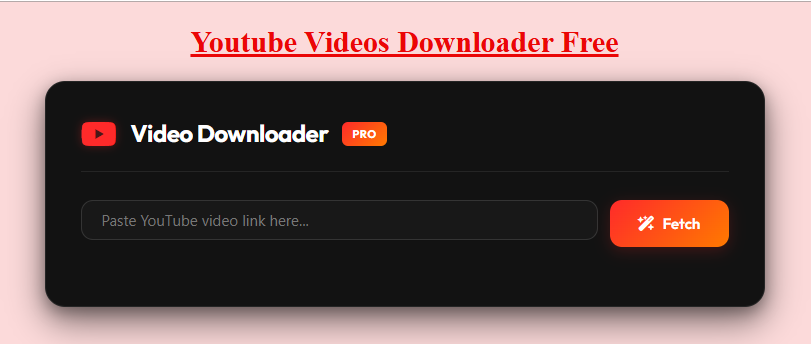
- Open a tool you trust. On the video downloader on this site, you paste the link and select Fetch. A table then lists the quality and format options found for that link, with a file extension and an estimated size.
- Review the options. Look at the resolution and the file extension. Choose MP4 if it is offered. The list for your link decides what is available.
- Save the file. Select the download button for the option you chose.
- Check the result. Open the file and confirm that you can see the picture and hear the sound.
For Shorts, the YouTube Shorts downloader follows the same idea. If a tool rejects a link, copy it again from the Share button, because a partial or wrong link is a frequent cause of failure.
On iPhone and Android
On a phone, the link comes from the YouTube app’s Share menu, and the converter runs in your mobile browser. Where the file lands depends on the device and browser. On Android it often goes to the Downloads folder. On iPhone, check the Files app or your browser’s download list first, then save the video to Photos if you want it there.
On Windows, Mac or Chromebook
Paste the copied address into the tool and choose a folder. If you cannot find the file, open the browser’s download list and select the entry to show it in the folder.
YouTube Converter MP4 Quality, Format and File Size
Quality is where many people get disappointed with an youtube converter mp4 search, so it helps to know what controls it.
The source sets the ceiling. A converter cannot add detail the uploaded video does not contain. A tool advertising 4K for a Short deserves a closer look at what it actually delivers. Treat any resolution claim as an upper limit, not a guarantee.
Not every option includes sound. Some tools list video-only options. If a file plays silently, go back to the list and try another option.
MP4 is the safe format choice. Because MP4 is a container, what matters inside is the codecs. H.264 video with AAC audio is widely supported on phones, computers and TVs. Some tools also offer WebM, which a few older players and editors cannot open. If you need maximum compatibility, choose MP4.
File size follows bitrate and length. You can estimate it with simple arithmetic:
File size in megabytes = bitrate in megabits per second × seconds ÷ 8
As an illustration only, a video at 5 Mbps uses about 37.5 MB per minute. A 60-second Short at that bitrate is roughly 37.5 MB, and a 3-minute Short is roughly 112 MB. Real bitrates vary, so your files may be smaller or larger.
How to Choose a Converter Safely
Many youtube converter mp4 sites earn money from ads, and some are built to trick visitors. The U.S. Federal Trade Commission’s malware guidance warns that scammers often bundle unwanted software with popular free downloads. It advises keeping your browser’s default security settings, getting well-known software directly from its source, and ignoring pop-ups and banner ads about your computer’s performance.
Use this checklist before you trust an youtube converter mp4 site:
- Clear options. It shows real resolutions and file types for your link instead of vague promises.
- No forced installs or sign-ups. A basic download should not need either.
- Clean behavior. There are no pop-ups, redirects or notification requests when the page loads.
- Honest limits. It admits that private, removed or restricted videos cannot be fetched.
- Policy pages. You can find a privacy policy, terms and a way to contact the owner. For example, the privacy policy on this site lists the technical data it may collect and says it may show third-party ads, and its terms and conditions say users are responsible for how they use downloaded content.
- App listings. If you are looking at an app, read the description. Some apps with “tube” or “video downloader” in the name state that they do not support YouTube at all.
Warning signs include a setup file you must install first, an instant request for notification permission, a fake “player update” message, a Download button that opens unrelated ads, and a saved file ending in .exe, .dmg or .apk when you expected a video.
No page can promise that any tool is risk free, so use judgment every time.
Troubleshooting a Failed YouTube Converter MP4 Download
Most failures of an youtube converter mp4 download come from the link, the browser, the network, the service, the file format or a restriction on the video. Test one cause at a time. None of these fixes works every time.
| Cause | What you may see | What to try |
|---|---|---|
| Source link | Nothing happens, or the tool rejects the link | Copy the link again from the Share button. Make sure it is a single video link, not a channel or playlist link. |
| Restriction on the video | “Video unavailable” or no options | Open the link in a private browser window. If it will not play there, the video may be private, removed, age-restricted or region-limited. |
| Browser | The video plays instead of downloading | Try another browser, pause extensions that block scripts, or use the browser’s own download option. |
| File format | The file saves but will not play | Try another media player, or choose an MP4 option instead of WebM. |
| Missing sound | Picture but no audio | Choose a different option from the list. |
Frequently Asked Questions
What is an youtube converter mp4 tool?
It is a website, app or program that turns a YouTube link into an MP4 file. Some people use the name “YouTube” for a specific paid converter listing, and others use it for any converter that works on an iPhone. It is a third-party tool, not a YouTube feature.
Is there an official YouTube converter to MP4?
Yes, but only for your own uploads. YouTube Studio lets you download an MP4 of a video you uploaded, normally in 720p or 360p. For other people’s videos, YouTube’s official option is Premium offline viewing, which gives you an app-only copy rather than an MP4 file.
Can I convert a YouTube Short to MP4?
A third-party youtube converter mp4 tool can often create a file from a public Short link, but YouTube’s terms do not authorize it. Premium members can use offline features inside the app where available. If the Short is yours, check YouTube Studio for a download option.
Is it legal to use an youtube converter mp4 tool in the United States?
There is no single answer. YouTube’s terms do not authorize third-party downloads, and copyright law, including fair use under Section 107, is decided case by case. Saving your own videos, or videos you have permission to keep, is the lowest-risk approach. Reposting or selling someone else’s video raises larger issues. This is general information, not legal advice.
Is an online youtube converter mp4 tool safe?
It depends on the site, and no site can be called risk free. Use the checklist above, avoid installing anything just to get a basic download, and treat browser warnings seriously.
Final Thoughts
For most people, the best plan around an iyoutube converter mp4 search is simple. Use Premium when you only want to watch offline in the app. Use YouTube Studio when the video is yours. If you use a third-party tool for something you have permission to save, keep the file for personal use, choose MP4 when it is offered and stay alert for fake sites. When you are unsure about reusing a video, ask the creator first. For a wider walkthrough that also covers Shorts, see the guide to YouTube to MP4, and for how video links work, read the guide to a YouTube video download link.