Short answer: Yes, a YouTube Shorts download 2026 is possible in three ways. You can download your own Shorts from YouTube Studio, watch Shorts offline inside the app with YouTube Premium, or paste a Short’s link into a third-party downloader to get an MP4 file. YouTube itself supports only the first two.
This guide to YouTube Shorts download 2026 covers each method on Android, iPhone and PC, what the saved file looks like, what the rules are for Indian users, and how to avoid the fake buttons and risky installs that surround many downloader sites. Prices and menu names can change, so anything time-sensitive is marked as reported.
What Is Possible With YouTube Shorts Download 2026?
YouTube does not show a public Download button under Shorts uploaded by other people. Its own options are narrow: creators can download their own uploads, and YouTube Premium members can save videos for offline playback inside the YouTube app.
Everything else depends on third-party tools. These tools read the public stream behind a Shorts link and hand you a file. They work on public Shorts only, so private, removed and age-restricted videos usually fail.
Use this table to pick a route quickly:
| Your situation | Best route |
|---|---|
| The Short is your own upload | YouTube Studio download |
| You want offline viewing and pay for Premium | In-app Premium download |
| You need an MP4 file of someone else’s public Short | Third-party downloader (outside YouTube’s terms) |
What Changed for Shorts in 2026
Shorts Can Now Run Up to Three Minutes
Many articles on YouTube Shorts download 2026 still say Shorts stop at 60 seconds. That is outdated. YouTube Help states that since October 15, 2024, uploads with a square or vertical aspect ratio of up to three minutes are classified as Shorts. Longer clips mean bigger files, and some downloaders cap duration, so check the limit before you paste a link.
Premium Lite Does Not Solve Shorts Downloads
YouTube launched Premium Lite in India at Rs 89 per month in September 2025. In February 2026 it added background play and offline downloads, but reports from Business Standard and Storyboard18 say these benefits exclude Shorts and music content. Lite is therefore not a reliable route for a YouTube Shorts download 2026 workflow.
Smart Downloads for Shorts Is an Experiment
PhoneArena reported that YouTube tested Smart Downloads for Shorts with Premium members. The feature automatically saves recommended Shorts based on recent viewing. It was described as a limited-time experiment, so availability depends on your account and app version.
YouTube Shorts Download 2026 Method 1: Save Your Own Shorts
If you uploaded the Short, the cleanest route is YouTube Studio. You get the original file with no watermark and no third-party site involved.
On Desktop
- Open YouTube Studio and sign in to the channel that owns the Short.
- Go to Content and switch to the Shorts tab.
- Hover over the Short and click the three-dot menu.
- Select Download.
On Mobile
Open the YouTube Studio app, find the Short, tap the three-dot menu and look for Save to device. Menu labels vary between app versions, so if you do not see it, use the desktop steps instead.
For anyone planning a YouTube Shorts download 2026 of their own work, this method suits creators who lost the original edit, want a backup, or plan to repost a Short on another platform. If you want to reuse tags from your own uploads as well, a Shorts tags extractor can pull them in seconds.
YouTube Shorts Download 2026 Method 2: Premium Offline Downloads
YouTube Premium is the official way to keep other creators’ videos for offline viewing. According to YouTube Help, members can download on mobile, and on a computer through Chrome, Edge, Firefox and Opera.
Three rules from YouTube’s own pages matter here:
- You must stay signed in to the Premium account that made the download.
- Downloaded videos can be played offline for up to 29 days before the app needs to sync again.
- Downloads are stored encrypted and can only be watched inside the YouTube app, so they never appear in your gallery.
That last point surprises most people. Premium gives you offline viewing, not a file you can send on WhatsApp or edit, so it only covers part of a YouTube Shorts download 2026 plan.
YouTube Premium Prices in India
The figures below are reported prices and may change. Check YouTube’s Premium page before you subscribe.
| Plan | Reported price in India | Offline downloads |
|---|---|---|
| Premium Individual | Rs 149 per month | Yes |
| Premium Student | Rs 89 per month | Yes |
| Premium Family | Rs 299 per month | Yes |
| Premium Lite | Rs 89 per month | Added in 2026, reportedly not for Shorts |
Premium makes sense if you watch a lot of YouTube offline on trips or patchy mobile data. It does not make sense if your goal is an MP4 for editing.
YouTube Shorts Download 2026 Method 3: Use an Online Downloader
An online downloader is the most common YouTube Shorts download 2026 route: a website that accepts a Shorts link and returns a file. It needs no installation and works in any browser. It is also outside YouTube’s terms, which the legal section below explains.
Step-by-Step Process
- Open the YouTube app or website and find the Short.
- Tap Share, then Copy link.
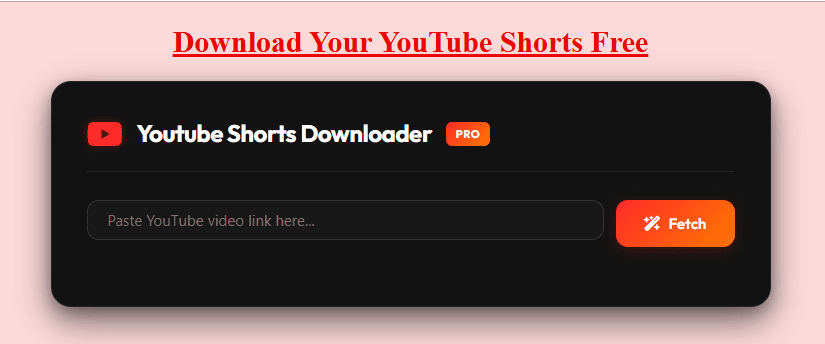
- Open a downloader such as the YouTube Shorts downloader on this site.
- Paste the link and tap the download or fetch button.
- Pick a quality, then save the file.
For a longer walkthrough with screenshots, see the step-by-step guide to download YouTube Shorts.
Android
Use Chrome, paste the link, and download. The file normally lands in your Downloads folder and may take a minute to show in the gallery. Our Shorts downloader for mobile page covers Android specifics. If the file is not visible in Photos, open the Files app and search Downloads. This guide on saving YouTube videos to your gallery explains the fix.
iPhone
Safari can download files, but they go to the Files app first. Open the file, tap the share icon, and choose Save Video to move it into Photos. Always use Safari for this step, because other in-app browsers often block the download prompt.
PC and Mac
Paste the link on any online tool, or install a desktop application if you download often. Desktop apps such as 4K Video Downloader are marketed for batch jobs and playlists, which helps when you archive many clips. They still sit outside YouTube’s terms, so the same rules apply.
Which Method Should You Choose?
The right YouTube Shorts download 2026 method depends on ownership, device and purpose.
| Method | Works on | File in gallery | Cost | Within YouTube’s rules |
|---|---|---|---|---|
| YouTube Studio (own Shorts) | Desktop, mobile | Yes | Free | Yes |
| YouTube Premium | Mobile, desktop browsers | No, stays in app | From Rs 149 per month (reported) | Yes |
| Online downloader | Any browser | Yes | Usually free, may show ads | No |
| Desktop app | Windows, macOS, Linux | Yes | Free tiers, paid licences vary | No |
| Browser extension | Desktop browsers | Yes | Varies | No |
Browser extensions deserve extra caution. At least one popular Chrome extension listing states that it does not support YouTube because of Chrome Web Store policy. Extensions that do claim YouTube support often sit outside the official store, which raises the risk.
File Quality and Format: What You Actually Get
Shorts are vertical videos in a 9:16 shape. A downloader cannot create quality that was never uploaded, so the best result is whatever YouTube serves for that Short.
- Resolution: Most tools advertise up to 1080p for Shorts. Claims of 4K or 8K for Shorts are questionable unless the creator uploaded in that quality.
- Format: MP4 is the standard video format. Some tools also extract audio as MP3.
- Sound: If your file plays silently, try another quality option. This usually happens when video and audio arrive as separate streams that the tool failed to merge.
- Watermarks: Downloaded files should not carry a platform watermark, because the file comes from YouTube’s own stream.
If you want sharper results, our page on HD Shorts downloads explains how to choose the highest available option. To keep a Short as a plain video file, see how to save YouTube Shorts as MP4.
Is YouTube Shorts Download 2026 Legal in India?
This section is general information, not legal advice. Two different rule sets apply: YouTube’s terms and Indian copyright law.
YouTube’s Terms of Service
YouTube’s terms restrict downloading content unless YouTube shows a download or similar link for it. Third-party downloaders therefore break the terms of service even when you only want personal offline viewing. The practical risk for most viewers is limited to the tools themselves, but repeated misuse of content can lead to account problems for creators who repost.
Indian Copyright Law
The Copyright Act, 1957 lists exceptions in Section 52. Section 52(1)(a) covers fair dealing with a work for private or personal use, including research. The Act does not define fair dealing, so courts decide case by case. In plain terms, saving a Short for your own viewing sits in a safer zone than anything that copies, redistributes or earns money from someone else’s work.
To stay on the right side:
- Download only Shorts you own, or have permission to use.
- Check whether the creator selected a Creative Commons licence, which allows reuse under set conditions.
- Never upload a downloaded Short to your channel as your own. YouTube’s systems are built to detect reuploads, and Indian law treats infringement as both a civil and criminal matter.
- Credit creators and ask before commercial use.
How to Stay Safe on Downloader Sites
The tool itself is rarely the problem. The ads and fake buttons around it often are. Follow this checklist:
- Use an ad blocker, and ignore large green buttons that sit above the real download link.
- Never enter your Google password on a downloader site. A real tool only needs a link.
- Avoid APK files and “premium unlocked” MOD versions of downloader apps from random sites.
- Check the file type. A video should end in .mp4. Delete anything ending in .exe, .apk or .zip.
- Prefer sites without forced notifications or mandatory sign-ups.
For a deeper explanation, read this guide on whether a YouTube video downloader is safe.
Common Problems and Fixes
| Problem | Likely cause | Fix |
|---|---|---|
| “Video not found” | Private, deleted or age-restricted Short | Confirm the Short plays while signed out |
| Download stopped working | YouTube changed something and the tool lagged behind | Try another tool or wait a day |
| No sound | Audio and video were not merged | Pick a different quality |
| File missing from gallery | Saved to Downloads or Files | Search the Downloads folder |
| Daily limit reached | Free tier cap on some sites | Try later or use another tool |
Smart Uses for Saved Shorts
Most people use a YouTube Shorts download 2026 workflow for one of four reasons:
- Offline viewing: Save data and watch on flights or commutes.
- Research: Creators study hooks, cut speed and caption timing by watching a competitor’s Short at slow speed in an editor.
- Archiving: Keep a copy of your own Shorts outside the platform.
- Reference material: Collect examples for client pitches, with permission where needed.
If you are researching Shorts for your own channel, pair the video with its metadata. A YouTube tags extractor shows the tags behind a video, and a thumbnail downloader saves the cover image.
Final Verdict on YouTube Shorts Download 2026
Start with the official routes. Use YouTube Studio for your own uploads and Premium when you only need offline viewing. When you truly need a file of a public Short, a third-party tool will do the job, but you accept the terms risk, so keep it to personal use and give credit.
Whatever route you pick for YouTube Shorts download 2026, rely on current information. Shorts length limits, Premium prices and downloader behaviour all changed during the last two years, and they will keep changing. For the full tool, open the YouTube Shorts downloader and follow the same steps shown above.
Frequently Asked Questions
-
Can I do a YouTube Shorts download 2026 without any app?
Yes. Copy the Short’s link, open an online downloader in your browser, paste the link and save the MP4. No app is needed. Premium offline downloads and Studio downloads, however, happen inside YouTube’s own apps.
-
Is there an official download button for Shorts?
Not for other people’s Shorts. YouTube lets creators download their own uploads and lets Premium members save videos offline in the app. There is no universal Download button visible to everyone.
-
Does YouTube Premium let me download Shorts?
Premium supports offline downloads in the YouTube app, and Shorts availability can vary by region and app version. The downloads stay inside the app and cannot be moved to your gallery.
-
How long can a Short be in 2026?
Up to three minutes, provided the video has a square or vertical aspect ratio. This limit has applied since October 15, 2024. Videos uploaded before that date remain long-form videos.
-
Can I save Shorts to my gallery on iPhone?
Yes, through Safari. Download the file, open the Files app, tap the share icon and choose Save Video. The Short then appears in Photos.
-
Can I download private or age-restricted Shorts?
No. Third-party tools only fetch public videos. They cannot bypass privacy settings, and you should not try.
-
Can I save only the audio from a Short?
Some tools can export MP3. Remember that the audio may contain copyrighted music, so use it for personal listening only.
-
What is the best way for YouTube Shorts download 2026 on Android?
For your own Shorts, use the YouTube Studio app. For someone else’s public Short, an online downloader in Chrome is the quickest route, though it falls outside YouTube’s terms. For offline viewing within the rules, use Premium.
-
Is a YouTube Shorts download 2026 tool free in India?
Many online tools are free for personal use, though some limit daily downloads or add advertising. YouTube Premium is the paid, official option, reported at Rs 149 per month for the Individual plan.