A Short you like can disappear when a creator deletes it, or you may want it ready for a commute with weak mobile data. That is why shorts download is a common need for viewers and creators across India. This guide explains which options exist today, which ones YouTube officially supports, how link-based tools behave, and what YouTube’s rules and Indian copyright law mean for you.
Facts in this article were checked in October 2026 against YouTube Help pages, YouTube’s Terms of Service, and the Copyright Act, 1957 on India Code.
Quick Answer: How Does a Shorts Download Work?
There are three routes. They differ in what you receive and in what is permitted.
- YouTube Premium offline download. Premium members can save eligible videos inside the YouTube app. The saved copy plays only in the app and does not appear in your gallery.
- YouTube Studio download for your own Shorts. Creators can download an MP4 of videos they uploaded themselves.
- Link-based download tools. You paste a Short’s URL into a website that returns a file. This is the most common method, but it is not a YouTube feature, and YouTube’s Terms of Service restrict downloading unless the service itself authorises it.
If you only want to rewatch a Short offline, use Premium. If you need the file of your own video, use YouTube Studio. If you use a third-party tool, do it only for content you have the right to save, and follow the safety checks below.
What Is a Shorts Download?
A shorts download is the act of saving a YouTube Short to your device so you can watch it without streaming. Two different kinds of saved copy exist, and mixing them up causes most of the confusion online:
- App-only offline copy: YouTube’s help pages say downloaded videos are stored encrypted on the device and can only be watched in the YouTube app. That is why they never show up in Photos or Gallery.
- Standalone file: a normal video file (usually MP4) that you can move, edit, or share. YouTube officially offers this only to creators, for their own uploads.
How long can a Short be?
YouTube Help states that Shorts can be up to three minutes long when the video is square or vertical, and this applies to videos uploaded on or after 15 October 2024. Many older guides and tool pages still say 60 seconds. That figure is outdated, so a Short you want to save may be well over a minute.
Why Do People Want a Shorts Download?
The reasons are practical:
- Save mobile data. An offline copy avoids streaming the same clip repeatedly.
- Keep reference material. Recipes, exercise routines, coding tips, and exam revision clips are easy to lose in an endless feed.
- Back up your own work. Creators want originals safe if a phone is lost or an account has problems.
- Study what works. Creators review their own past Shorts for pacing, hooks, and length.
The format is also huge. According to figures widely reported from YouTube CEO Neal Mohan’s June 2025 announcement, Shorts average more than 200 billion views per day. With that much content, saving the few clips you care about makes sense. Often, though, sharing the link is a better choice than sharing a file, because the creator keeps the views and you avoid rights problems.
Is a Shorts Download Legal in India?
It depends on the method and on what you do with the file. Two separate sets of rules apply: YouTube’s platform terms and Indian copyright law.
What YouTube’s Terms of Service say
YouTube’s Terms of Service state that you may not access, reproduce, download, or otherwise use content except as expressly authorised by the service, or with prior written permission from YouTube and the relevant rights holders. YouTube’s own help page for creator downloads adds a plain note: you cannot download other users’ videos, and offline viewing for viewers is tied to YouTube Premium in the app.
A breach of platform terms is a different matter from copyright infringement. Both can matter, but they are not the same thing.
What Indian copyright law says
Under Section 52(1)(a) of the Copyright Act, 1957, fair dealing with a work for private or personal use, including research, is not treated as infringement. The Act does not define fair dealing, so courts judge it case by case. Reposting someone’s Short as your own upload, using it commercially, or stripping credit is a different situation. Section 63 provides criminal penalties for knowingly infringing copyright, and the Act has been amended recently (the India Code text is current as of 15 June 2026), so check the latest wording before relying on any figure you see quoted online.
This is general information, not legal advice. A simple rule helps: personal viewing is the lowest-risk use, while reposting, editing, or monetising someone else’s video needs the creator’s permission.
Official Methods for Shorts Download
Method 1: YouTube Premium (offline viewing)
This is the only official route for saving other creators’ videos for offline viewing.
- Sign in to a YouTube Premium account.
- Open the video and tap Download below it (on mobile, you may also find it under More).
- Open the Downloads section of the app to watch it offline.
On a computer, YouTube Help says Premium members can download from Chrome, Edge, Firefox, and Opera. Downloaded videos can be played offline for up to 29 days, and the app needs to reconnect periodically to confirm the video is still available. If the Download option does not appear, that video is not available for offline saving. YouTube’s offline FAQ also states that you cannot download audio or MP3 files from the app.
Method 2: YouTube Studio (your own Shorts)
If you uploaded the Short, you can download it yourself.
- Sign in to YouTube Studio.
- Select Content from the left menu.
- Point to your video, open the three-dot menu, and choose Download.
YouTube Help says you receive an MP4 in either 720p or 360p, depending on the video. Downloads are unavailable if the video was removed, has a copyright or Community Guidelines strike, uses a pre-approved audio track, or has already been downloaded five times in 24 hours. To export everything you uploaded, use Google Takeout.
Step-by-Step: Shorts Download With a Link-Based Tool
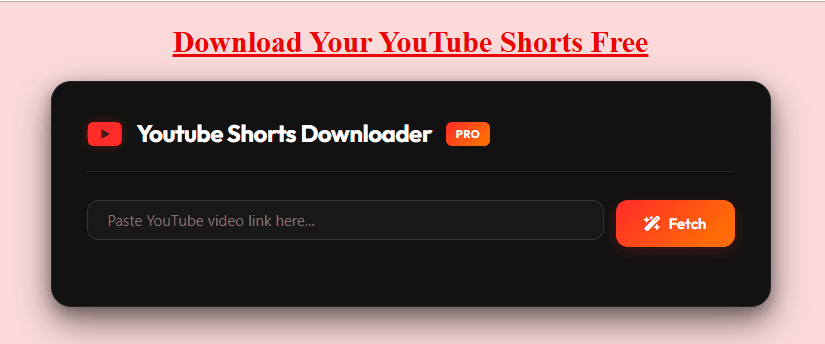
Link-based tools are third-party services. Their features and availability change, so use only the options a tool actually shows you. If you decide to use one for a Short you are permitted to save, you can try the YouTube Shorts downloader on this site and follow the same steps.
- Copy the link. In YouTube, tap Share, then Copy link. Make sure it points to the Short itself, not a channel or a search page.
- Paste it into the tool. Open the downloader in your browser, paste the URL, and press the button on the page.
- Check the options. If the link can be processed, the tool lists available qualities and formats. Pick one that is genuinely offered.
- Save and confirm. Approve the browser download and look for the file in your downloads list.
For a deeper walkthrough, see this guide on how to download YouTube Shorts.
Shorts download on Android
Copy the link in the YouTube app, open Chrome or another browser, paste it into the tool, and save the file. It normally lands in the Downloads folder. If you want it inside your gallery, this page on saving YouTube videos to your gallery explains the process. Avoid APK files from unfamiliar websites that promise extra features.
Shorts download on iPhone and iPad
Use Safari, paste the link, and save the file. On iOS, browser downloads usually go to the Files app, often under Downloads, rather than to Photos. Do not install configuration profiles or unknown apps just to complete a download.
Shorts download on Windows or Mac
Copy the address from the browser bar, paste it into the tool, and save to a folder you can find later. Use a clear file name if you plan to edit or archive the clip.
Quality and Format: What to Expect
Tools commonly advertise anywhere from 720p to 1080p, but the ceiling is always what the creator uploaded and what the service can retrieve. A higher label does not prove an untouched original, because bitrate, compression, and audio handling also affect the result. Treat promises of 4K, “no quality loss”, or “every video, every time” with caution, and check the resolution in your file’s properties after saving. For more on resolution choices, read this guide to a YouTube Shorts downloader in HD.
- MP4: the most compatible video format for phones, PCs, and editors.
- MP3: audio only. Some tools offer it, but extracting audio does not give you the right to reuse music or voices.
- Watermarks: a downloader cannot remove branding that is already part of the video. Claims of “watermark-free” mostly describe the tool’s own behaviour, not a legal clearance.
Why a Shorts Download Fails
If a tool returns an error, work through these causes in order:
- Wrong or incomplete link. Copy it again straight from YouTube and remove stray spaces.
- Private, deleted, age-restricted, or region-limited video. External services may not be able to access it, and you should not try to bypass those limits.
- Temporary service problem. The site may be busy, in maintenance, or affected by a YouTube change. Wait and retry later.
- Browser or storage block. Check download permissions and free space on your device.
- Format issue. If a file will not play, try a reputable media player instead of installing a codec offered by a pop-up.
Is a Shorts Download Site Safe?
Not automatically. A site that says “free” or “no ads” can still be risky. India’s CERT-In has repeatedly advised users not to install apps from untrusted sources, warning that fake apps imitate legitimate ones and can steal data. It also recommends keeping devices and apps updated and using security software.
Apply this checklist before using any tool:
- Never enter your Google password, verification codes, or recovery details.
- Do not install APKs, browser extensions, or desktop installers you did not intend to get.
- Close pages that show fake virus alerts or force repeated redirects.
- Refuse notification permissions from the site.
- Look for HTTPS and a visible privacy policy and contact page.
- Be extra careful on public Wi-Fi and shared devices.
For more on this topic, read whether a YouTube video downloader is safe.
Shorts Download Methods Compared
| Method | What you get | Cost | Official? | Best for |
|---|---|---|---|---|
| YouTube Premium offline | App-only encrypted copy | Paid subscription | Yes | Watching other creators’ Shorts offline |
| YouTube Studio download | MP4 of your own upload (720p or 360p) | Free | Yes | Backing up your own Shorts |
| Google Takeout | Export of your uploaded videos | Free | Yes | Full account backup |
| Link-based online tool | File, if the link can be processed | Varies | No | Rights-cleared or permitted content only |
| Desktop or mobile app | Varies by app | Varies | No | Use only from official stores, with caution |
Outdated Claims to Ignore
Competitor and listicle pages often repeat claims that no longer hold or were never verified:
- “Shorts are 60 seconds long.” YouTube Help says up to three minutes for qualifying uploads.
- “Download any Short in any quality.” Availability depends on the video, the source quality, and the tool.
- “100% safe, no ads, no limits.” These are marketing statements, not independent guarantees.
- “Giving credit makes reposting fine.” Credit does not replace permission from the rights holder.
- “Public means free to reuse.” A video you can watch is not automatically free to copy or redistribute.
Tips for Creators Handling Their Own Shorts
If you publish Shorts, a clean workflow avoids most problems. Keep project files and original exports, so you rarely need to retrieve a finished video later. Download your own uploads through Studio as part of a regular backup. When you repurpose your own clips, review your titles and tags first; the YouTube Shorts tags extractor guide and the YouTube thumbnail download guide can help with that. If you want a wider explanation of safe and lawful saving in India, our article on YouTube Short download methods covers more cases.
Frequently Asked Questions About Shorts Download
What is the safest shorts download method?
The safest methods are official ones: YouTube Premium for offline viewing in the app, and YouTube Studio for your own uploads. Third-party tools carry extra privacy and malware risks, so use them only with caution and only for content you may save.
Can I do a shorts download without installing an app?
Yes, browser-based tools work without an app. You copy the Short’s link, paste it into the website, and save a file if an option appears. Avoid any page that suddenly demands an APK, extension, or installer.
Can I save a Short to my gallery?
A Premium download stays inside the YouTube app and will not appear in your gallery. A file saved through a browser lands in Downloads (Android) or Files (iPhone). You can then move it manually, as explained in the gallery guide linked above.
Is a shorts download free?
YouTube Studio downloads of your own videos are free. Premium is a paid subscription. Third-party tools may be free, ad-supported, or paid, and their limits can change, so read the page before entering any payment details.
Can I download private or deleted Shorts?
No, and you should not try to bypass restrictions. Private, removed, or restricted videos are generally inaccessible to external services. If it is your own upload, check YouTube Studio or your Google Takeout export.
Can I download only the audio from a Short?
YouTube’s app does not let you download audio or MP3 files. Some third-party tools advertise MP3 output, but you still need permission to reuse any music or voice in the clip.
Is a shorts download allowed for my own videos?
Yes. YouTube explicitly lets creators download their own uploads from Studio, subject to conditions such as no strikes, no pre-approved audio tracks, and a limit of five downloads per video in 24 hours.
Can I repost a downloaded Short?
Only with permission from the creator or rights holder. Reposting without permission may breach copyright and YouTube’s terms. Linking to the original Short is safer and keeps credit with the creator.
Does a shorts download tool work in India?
Browser-based tools are usually reachable from India, but results vary by network, device, and video restrictions. Use an updated browser, trust only the options shown on the page, and follow YouTube’s terms and Indian law.
Final Thoughts
The best shorts download route depends on your goal. For offline viewing, YouTube Premium is the supported option. For your own videos, YouTube Studio gives you an official MP4. Link-based tools remain popular, but they are third-party services with changing availability, security risks, and legal limits. Check the link, review the options honestly, protect your accounts, and respect creators’ rights.